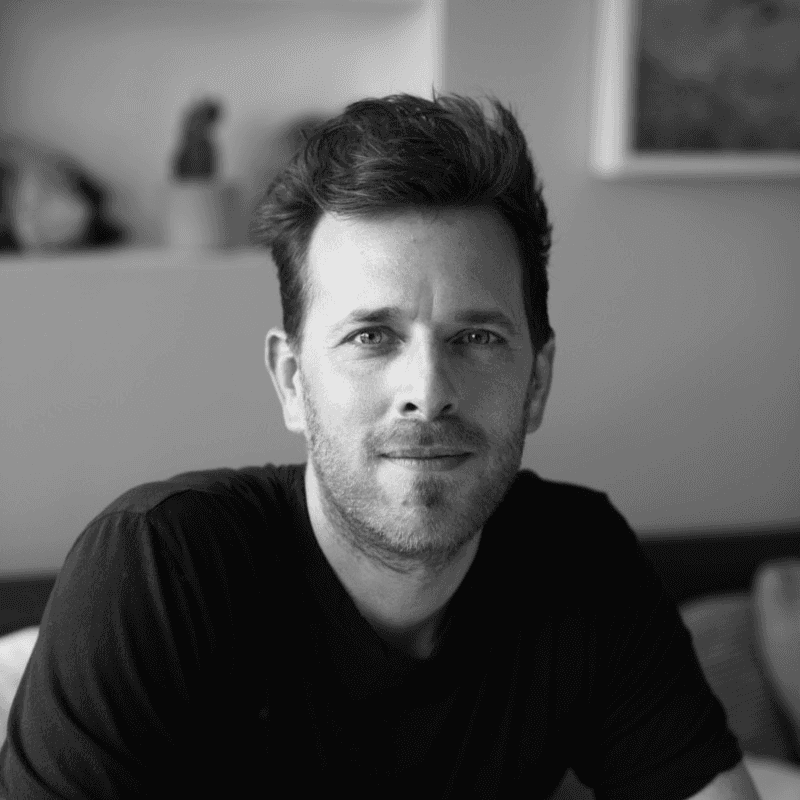







Matthew Rosenberg

Hi, I'm Matthew Rosenberg.

I’m an entrepreneur and product designer.

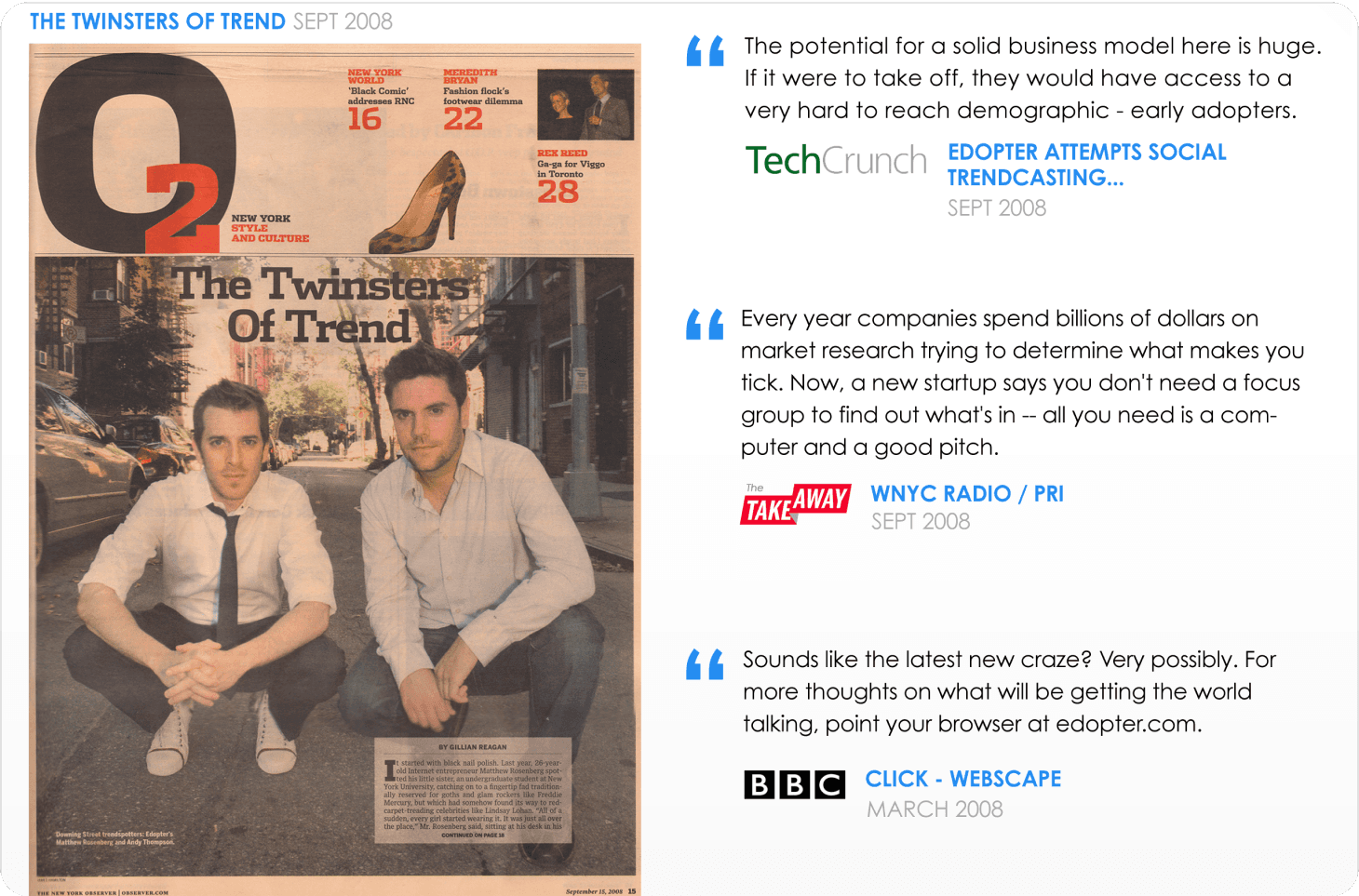
My work has been awarded by Apple and covered by everyone from The New York Times to Esquire.

What am I good at? Catching trends early, designing things that are fun to use, and bringing great people together to build them.

Team is everything to me.

I’m a technologist who loves nature,
a futurist who lives for the present,
and an explorer who loves the feeling of home.

I’ve been a New Yorker, a Los Angeleno, and now an Austinite,
but I’ve always considered myself a citizen of the world.

I’m endlessly curious.

I’m usually wearing sneakers when I’m supposed to be wearing dress shoes.

And after more than fifteen years of building companies, I’ve learned that I will always have a lot to learn.

2014

My Projects

Little Engine app icon

Little Engine

Founder

Sep 2025 – Now
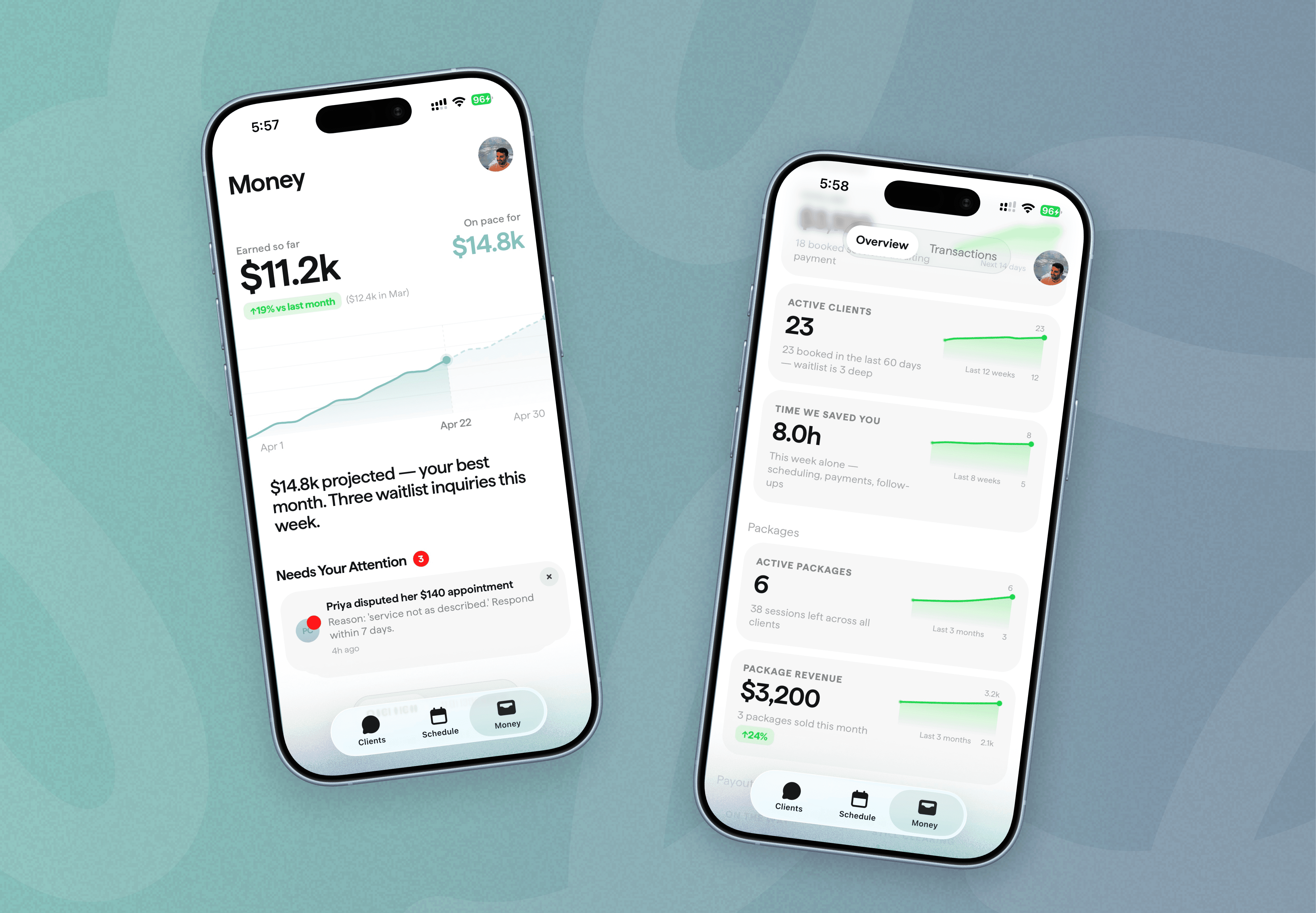
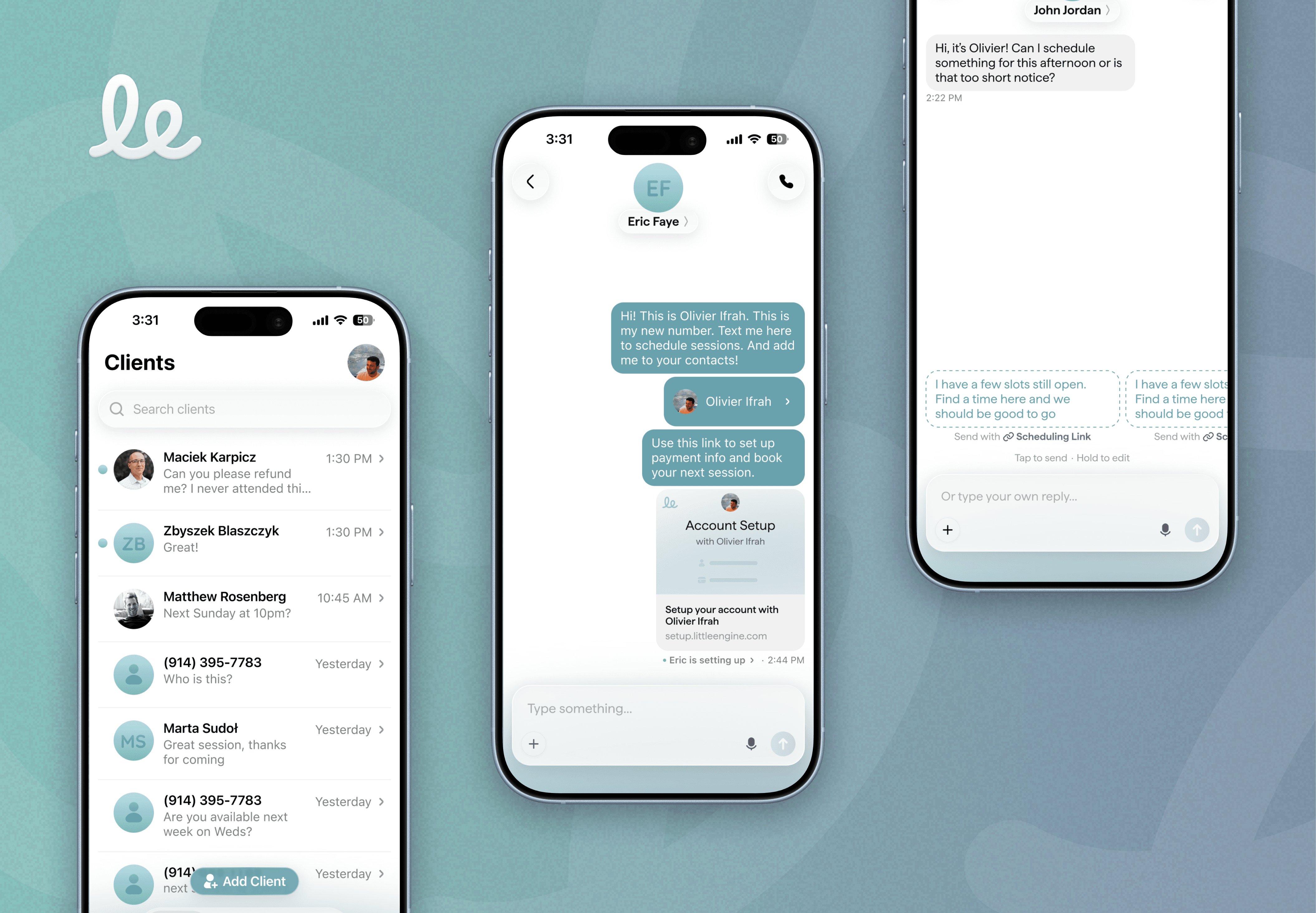
Independent service providers are flooded with texts – booking clients, rescheduling, and chasing payments. By giving them a new business number, Little Engine is an app that automates their scheduling and payments right in their text messages. Little Engine handles the admin and providers handle the relationships, so they get back over 300 hours a year for whatever matters most to them.

Animation of an iPhone showing a Little Engine text conversation where a client books a session
Three iPhones showing Little Engine: the client list, a text thread where the app books an appointment, and a scheduling reply
Two iPhones showing Little Engine’s money dashboard: $11.2k earned this month, a $14.8k projection, active clients, hours saved and package revenue
Animation of the Little Engine “le” logo being drawn in a pink-to-purple stroke
Tripnotes app icon

Tripnotes

Co-Founder

Acquired by

Dorsia

Jul 2022 – Aug 2023

Tripnotes was one of the first travel-planning apps powered by AI and over 350 million data points. The app could extract destinations from any TikTok, text, note, or article — and build you a beautiful itinerary you could share with friends.

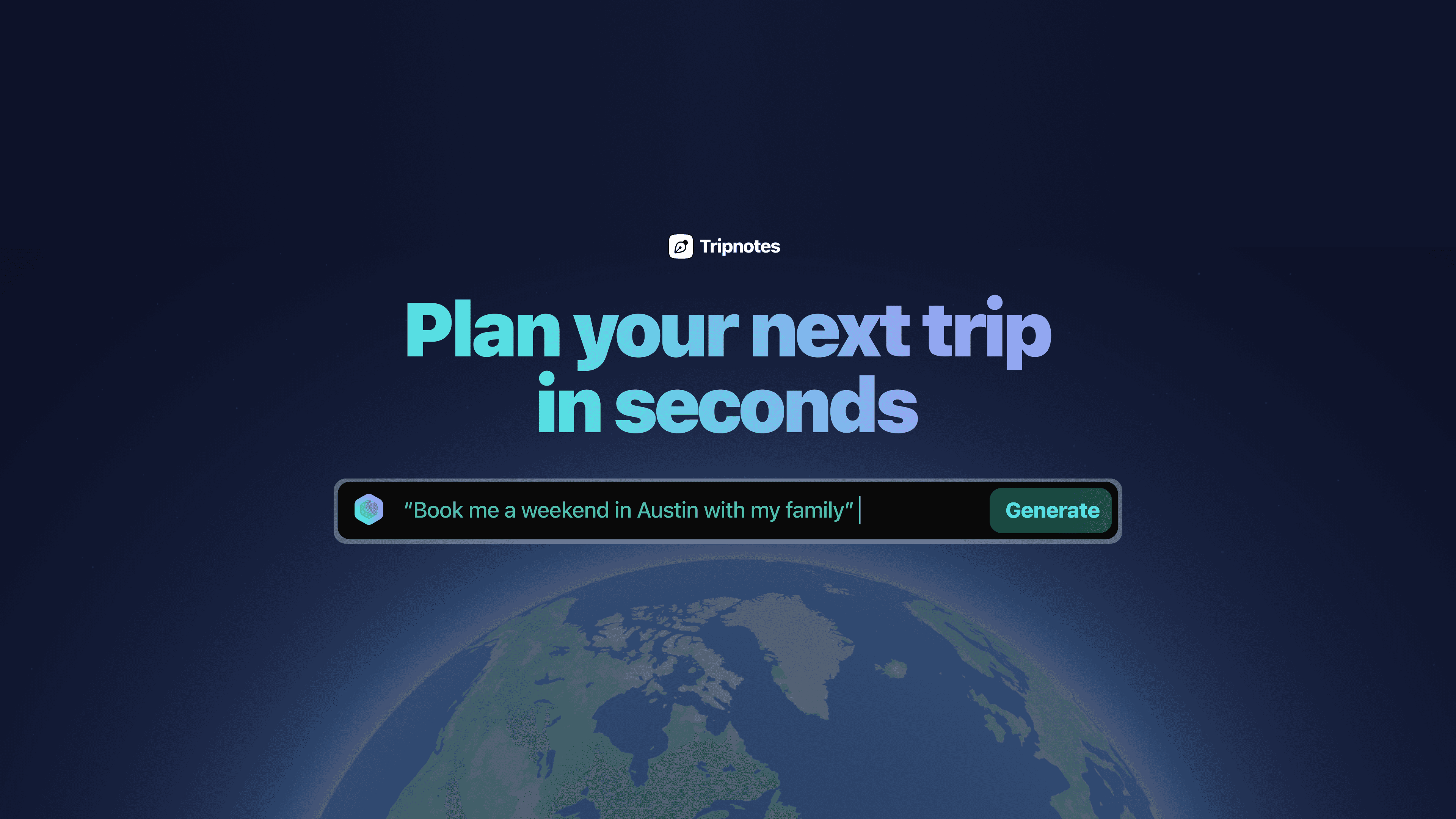
Tripnotes landing page reading “Plan your next trip in seconds,” with the prompt “Book me a weekend in Austin with my family” over a view of Earth

Meet the concierge

Tripnotes combined AI with information on more than 16 million places and 350 million data points to recommend where to go. It considered your preferences, time of day, traffic, and geography to build a trip around you.

Tripnotes went viral

We posted this demo of Tripnotes on Twitter, and it took off. More than a million people tried Tripnotes in under 60 days.

The founder of Foursquare praised it, saying, “Dig this. I keep telling people working on city guide startups: ‘You can’t just make a better version of Yelp; you have to reinvent the whole category of local search.’”

As easy as copy and paste

Travel plans often started as scattered notes, emails, and articles. Pasting them into Tripnotes turned the places into linked entries on a map, with the original context alongside them.

Never miss a stop

Planning the trip was only half the experience. With iOS Live Activities, Tripnotes kept your next stop on the lock screen so you could explore without losing track of the plan.

Import places from TikTok

A travel video could be the start of an itinerary. Sharing a TikTok with Tripnotes—or pasting its link—turned the places mentioned into mapped recommendations with useful details attached.

Save places with @tripnotes

We kept finding great recommendations buried in Twitter threads. Replying with @tripnotes saved the places into a note and put them on the map.

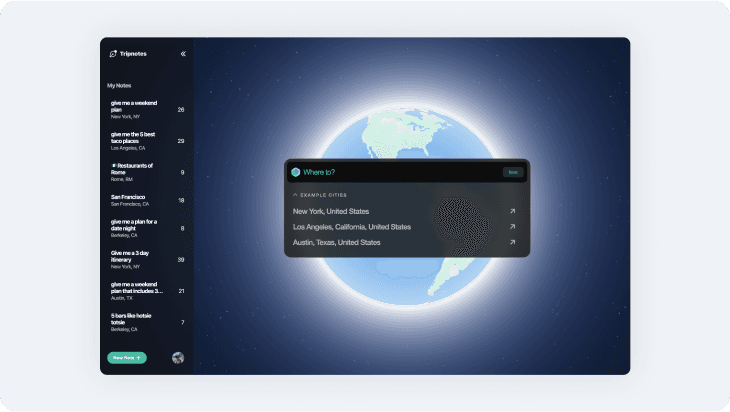
Tripnotes desktop app with a “Where to?” search over a glowing globe, beside a sidebar of saved trip notes
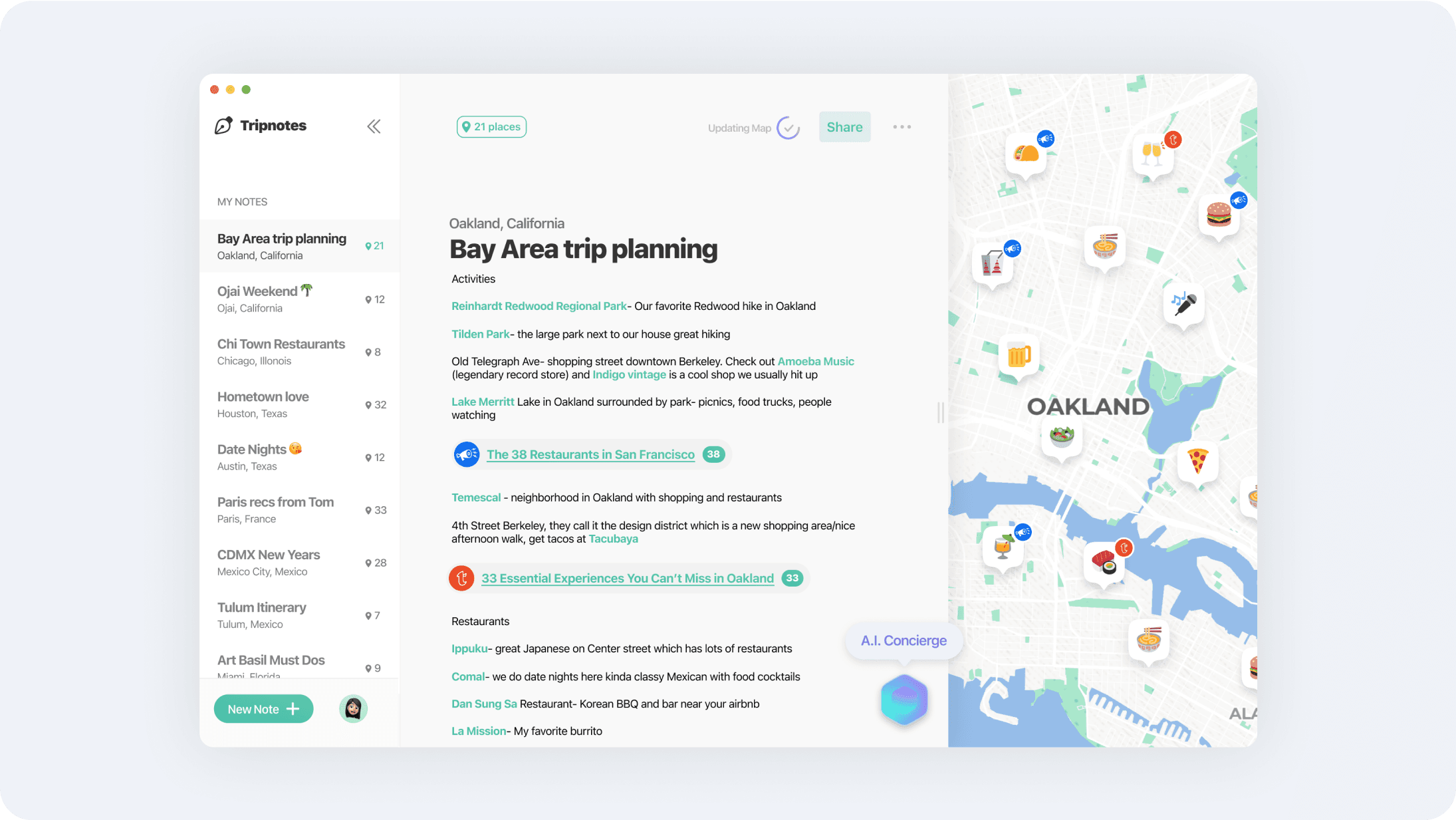
Tripnotes desktop app showing a “Bay Area trip planning” note with linked places beside a map of Oakland
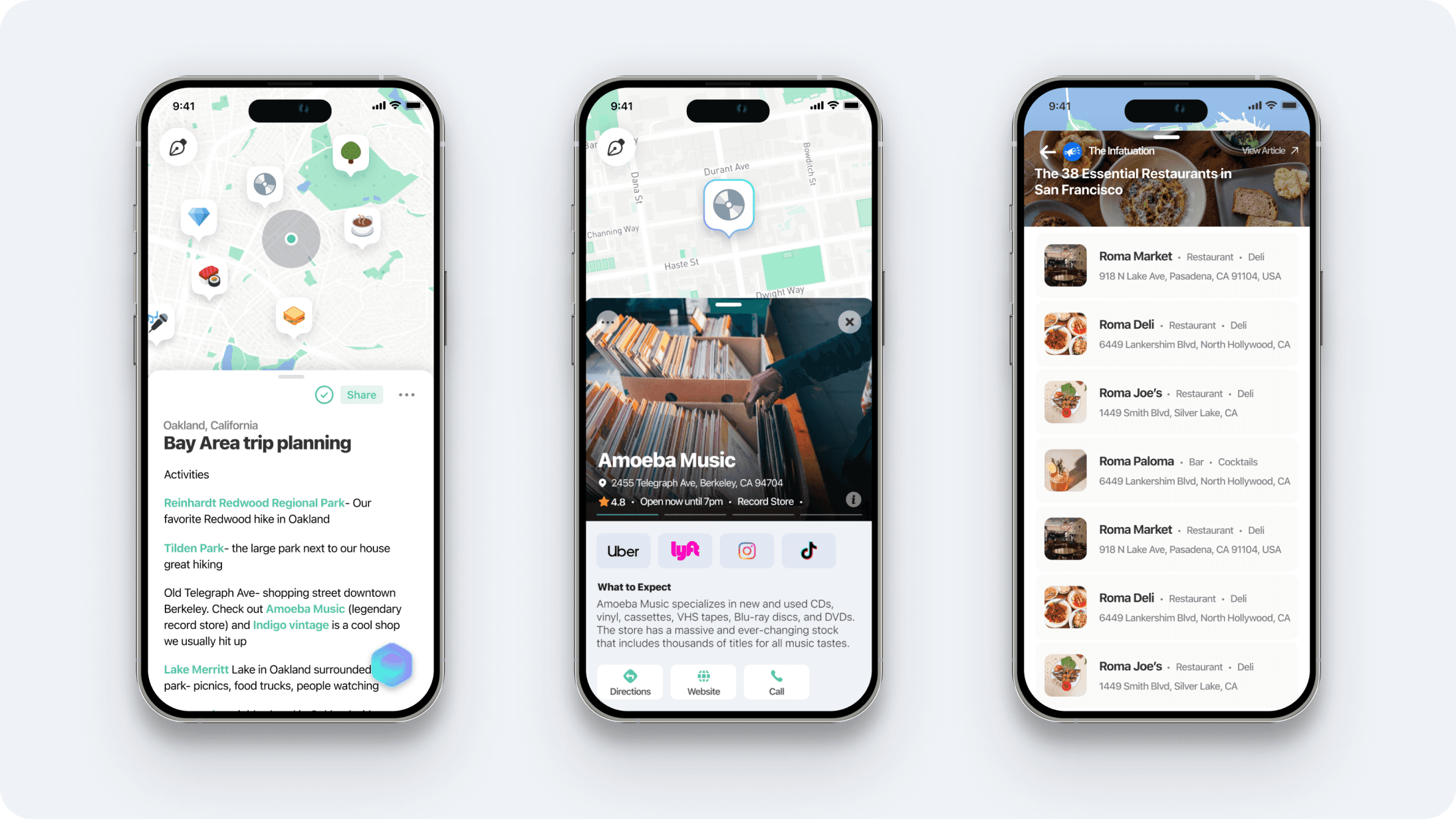
Three iPhones showing Tripnotes: a Bay Area trip plan on a map, the Amoeba Music place page, and a list of essential San Francisco restaurants
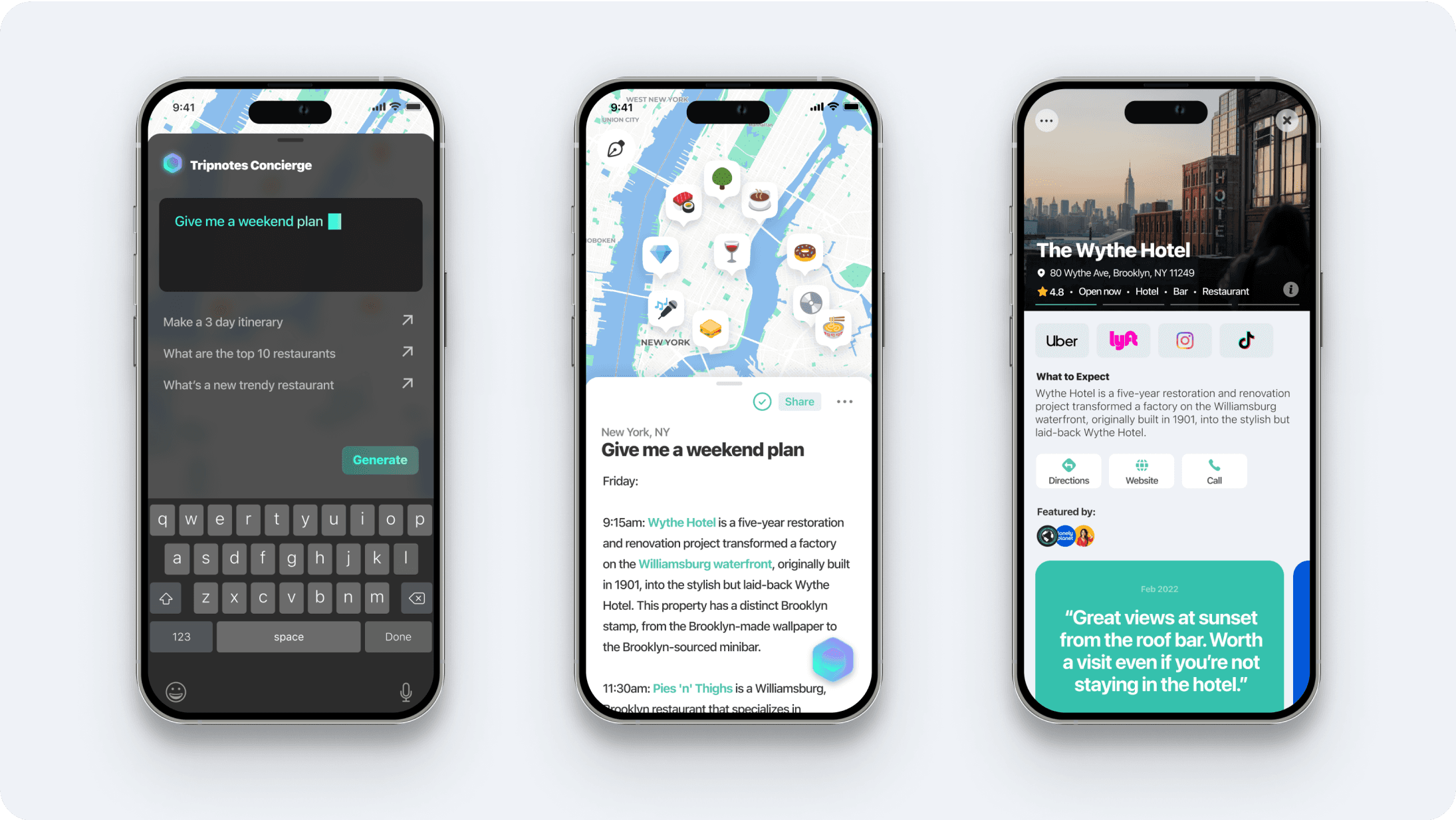
Three iPhones showing Tripnotes: the AI concierge prompt “Give me a weekend plan,” a New York itinerary on a map, and the Wythe Hotel place page

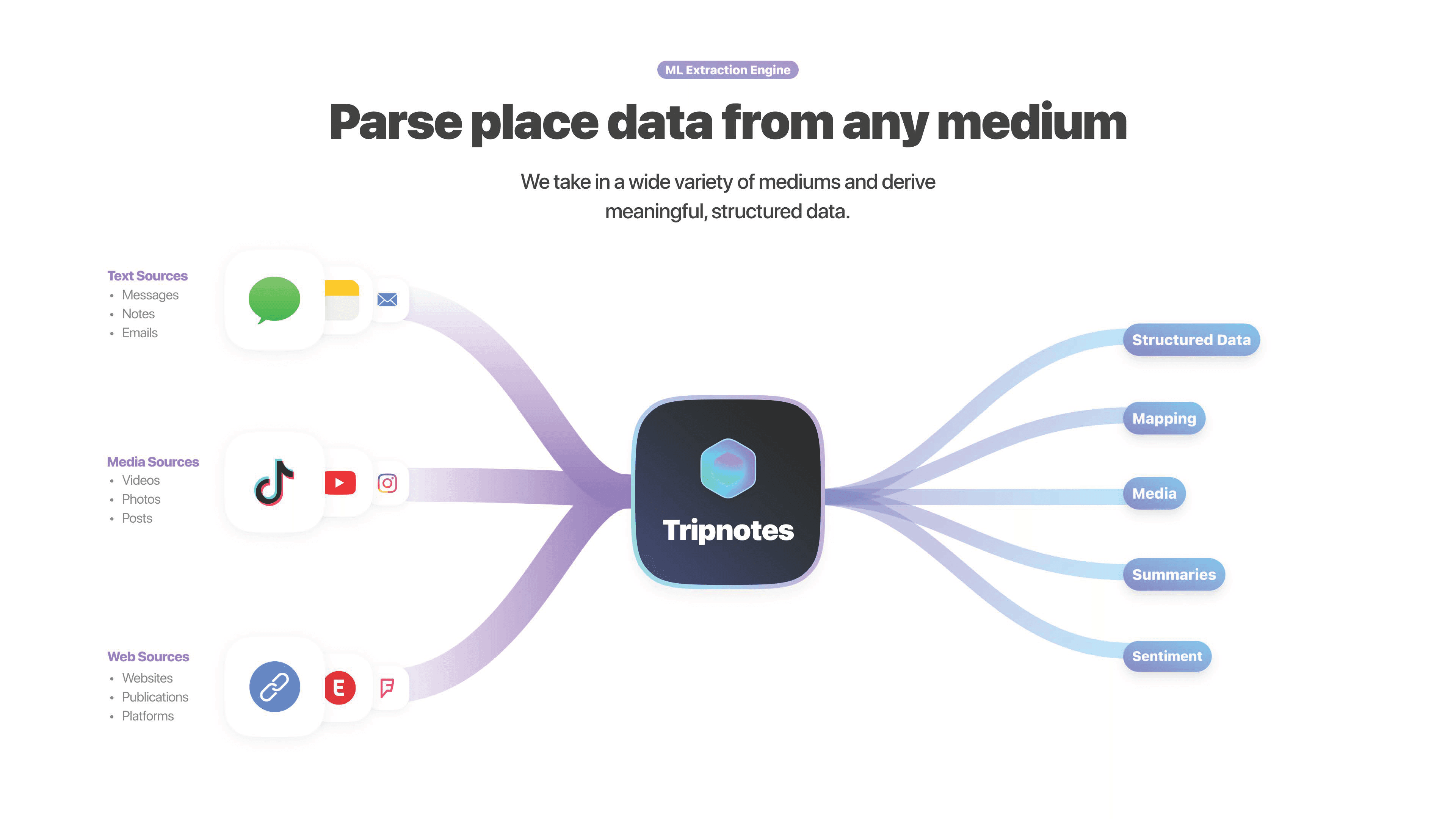
Turning travel content into useful data

Our custom-trained models extracted places from text, webpages, and video transcripts. We connected those places with reviews, photos, and contact information, building a travel dataset with 350 million data points.

Tripnotes and Dorsia logos: Tripnotes was acquired by Dorsia
Welcome app icon

Welcome

Co-Founder

Acquired by

Dorsia

Sep 2017 – Aug 2023

Mobile app to find the best places nearby and around the world. Place data meets AI. Backed by Accel Ventures and Lakestar Ventures.

Discover the best places

Welcome helped people find places they would love, nearby and around the world. It brought curated recommendations and personal preferences together in one app.

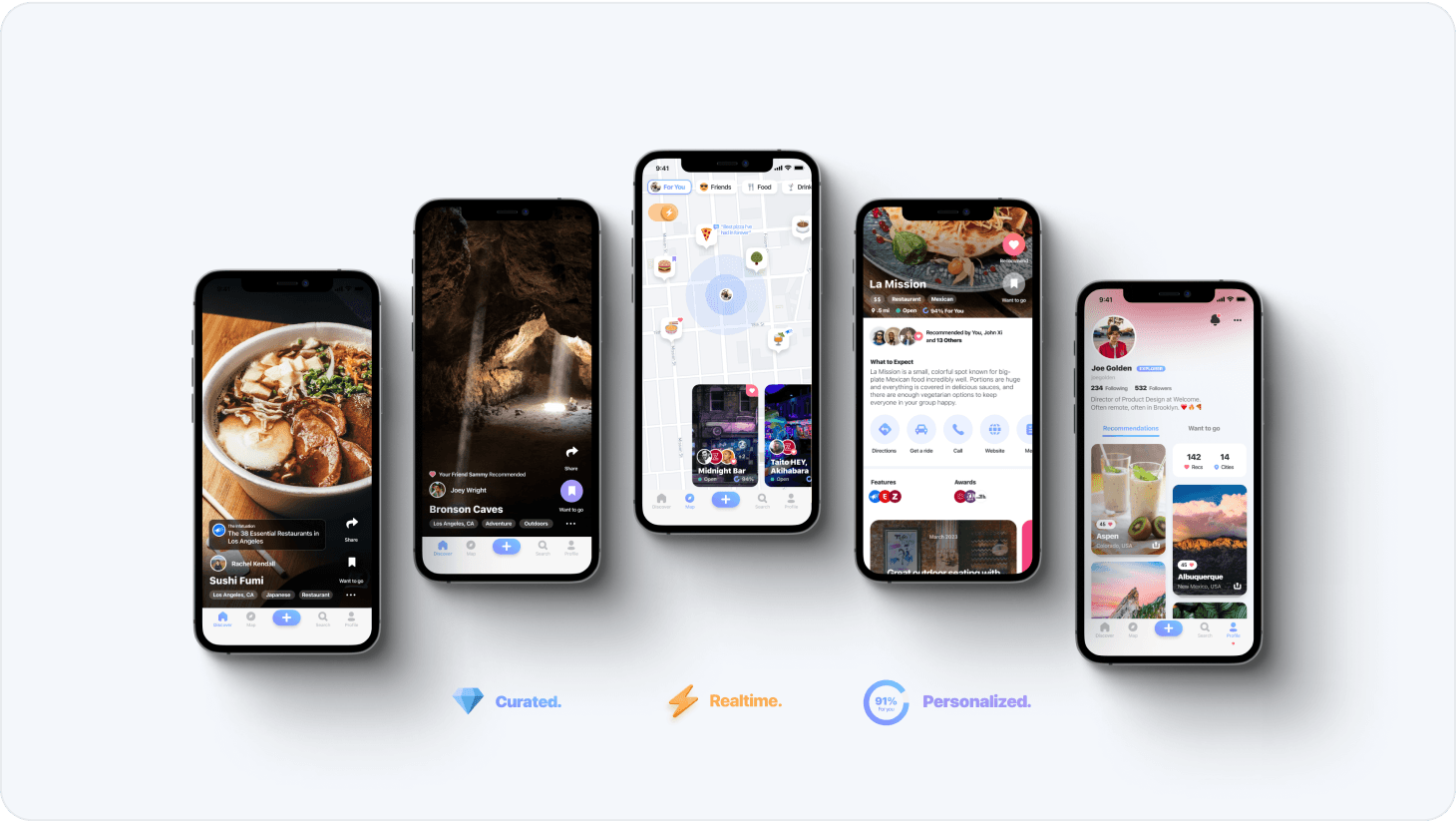
Five iPhones showing Welcome’s curated, realtime and personalized place recommendations
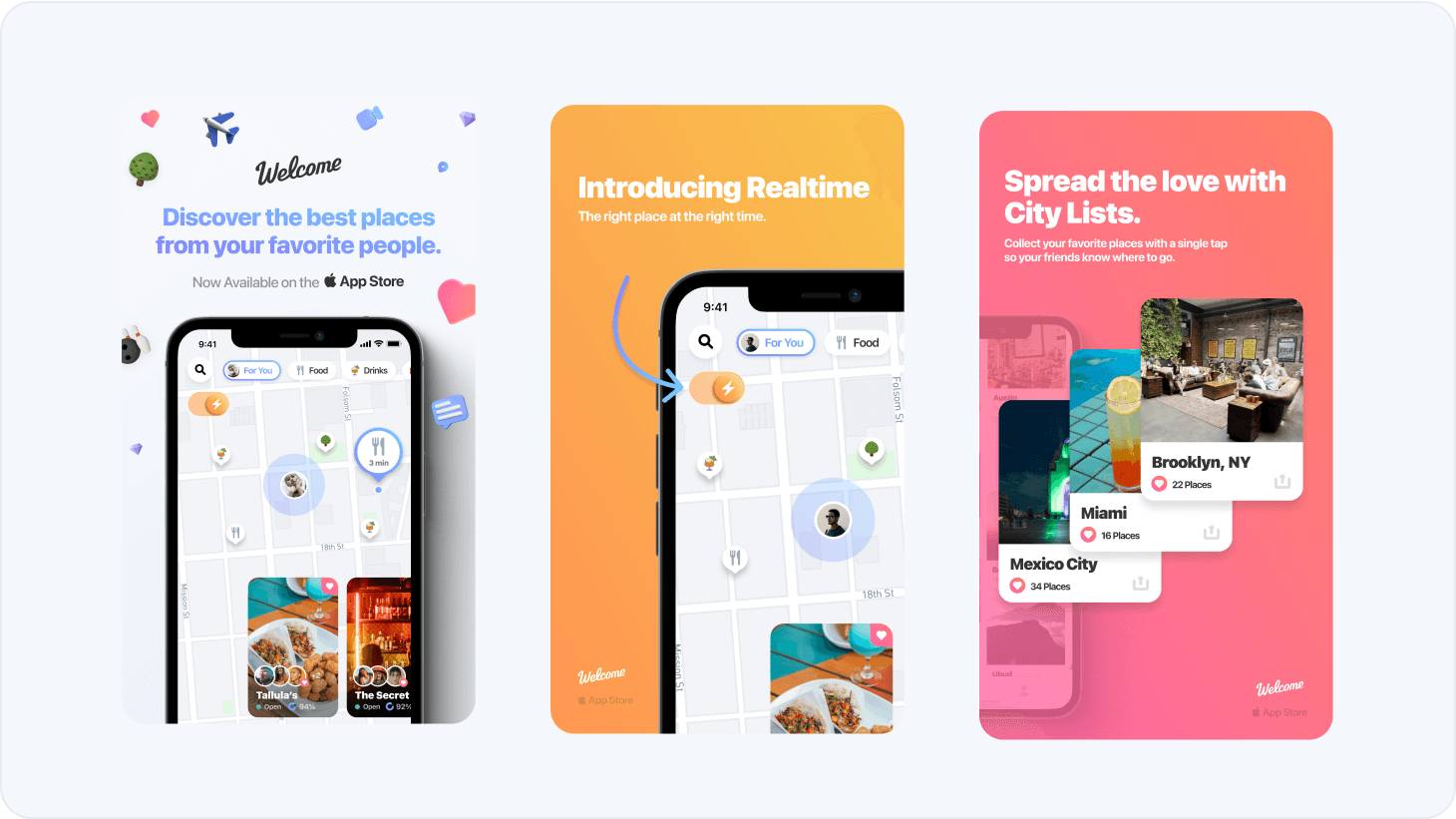
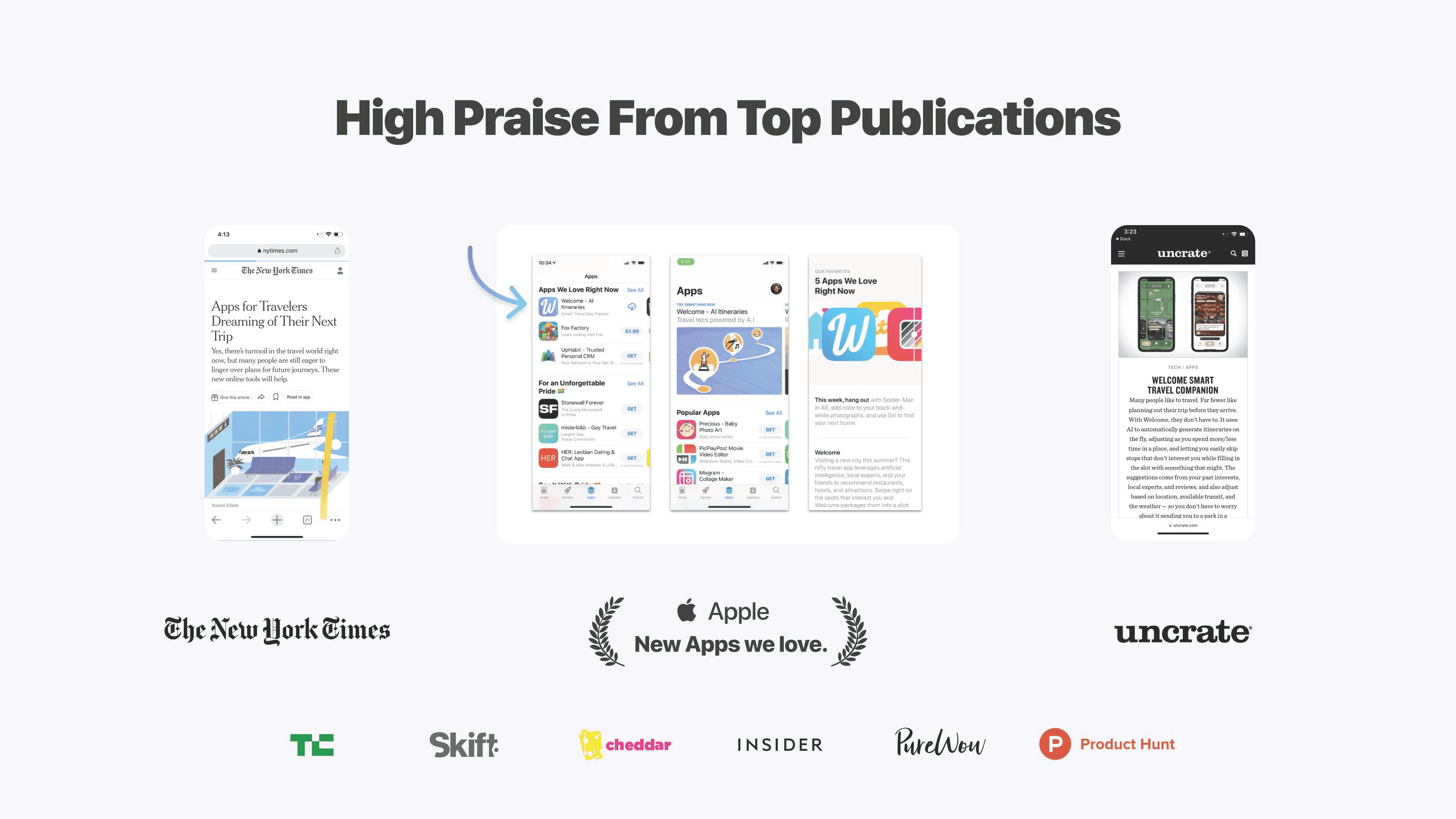
Welcome App Store screenshots: “Discover the best places from your favorite people,” “Introducing Realtime” and “Spread the love with City Lists”
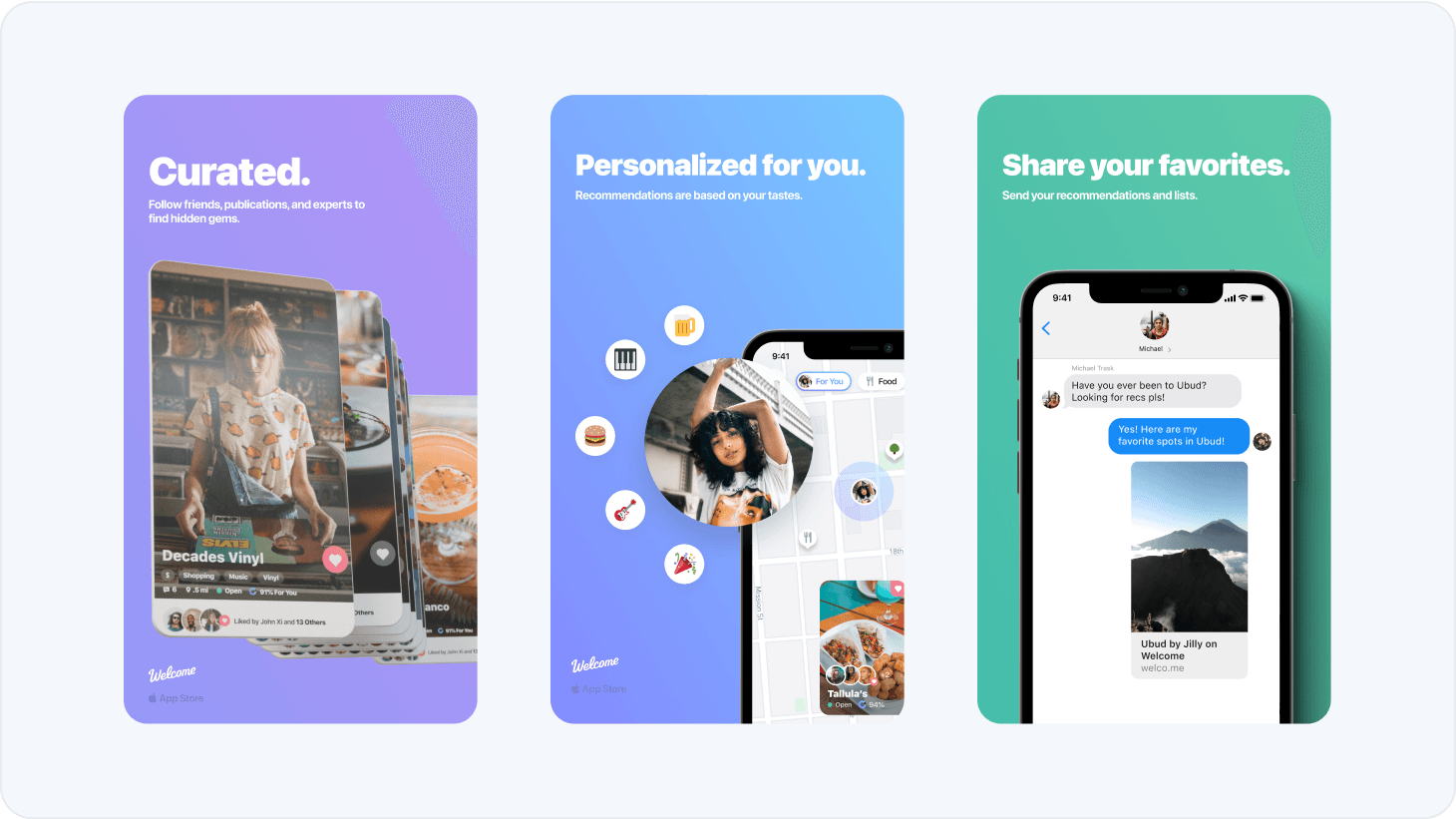
Welcome App Store screenshots: Curated, Personalized for you, and Share your favorites

A walkthrough of Welcome

A tour of Welcome, from discovering places to saving and sharing favorites.

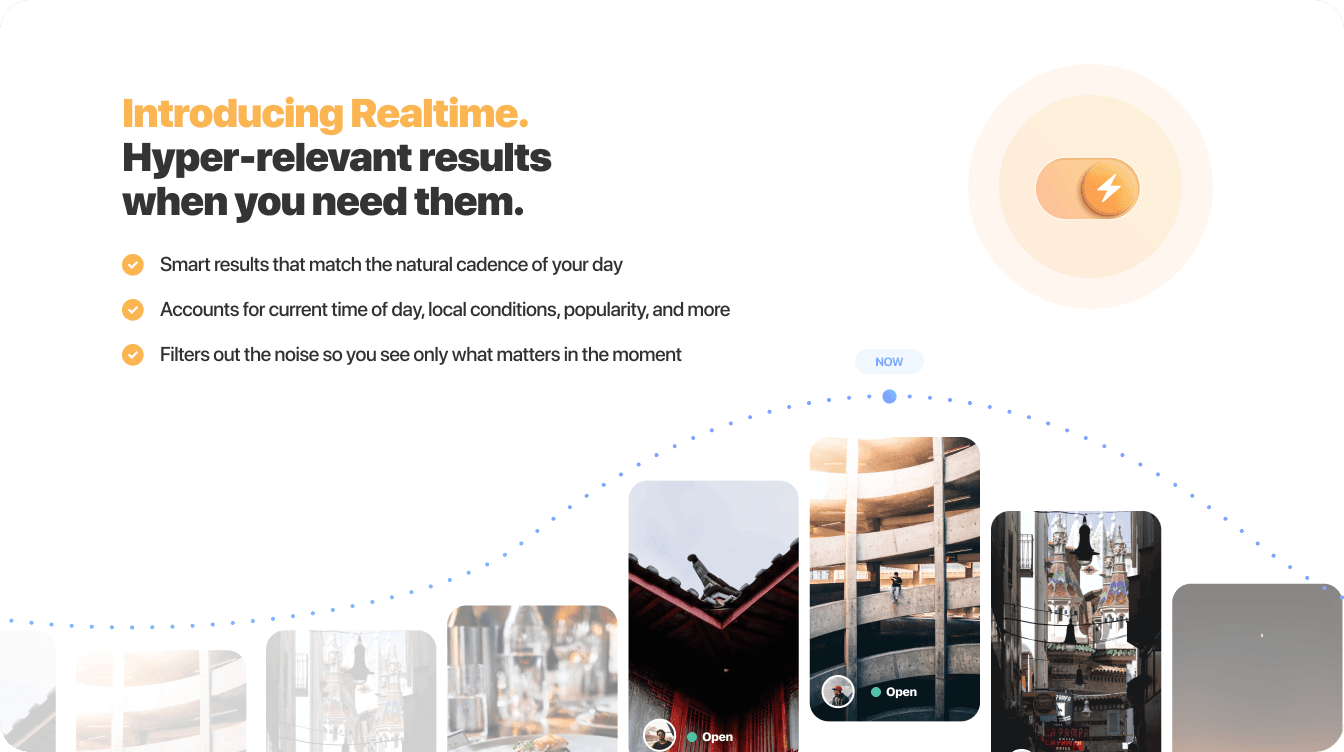
Welcome Realtime: hyper-relevant place results that follow the time of day, local conditions and popularity

The right place at the right moment

A great recommendation depends on when you need it. Realtime used time of day, weather, and traffic to surface relevant places from a library of more than 16 million locations.

Welcome and Dorsia logos: Welcome was acquired by Dorsia
Whiteboard app icon

Whiteboard

Founder

Sep 2015 – Sep 2016

Nearly a decade before Apple Vision Pro, Whiteboard explored collaboration in virtual reality on the HTC Vive. We built a shared workspace and experimented with the gestures, interfaces, and room designs that could make creating together feel natural.

A shared whiteboard in VR

Whiteboard brought remote teammates into a shared virtual room where they could arrange images, documents, and notes together. A companion mobile app kept the workspace accessible outside the headset.

Your workspace, outside the headset

The mobile app was a window into the virtual workspace. You could schedule meetings, access files, annotate documents, and review sessions without putting on a headset.
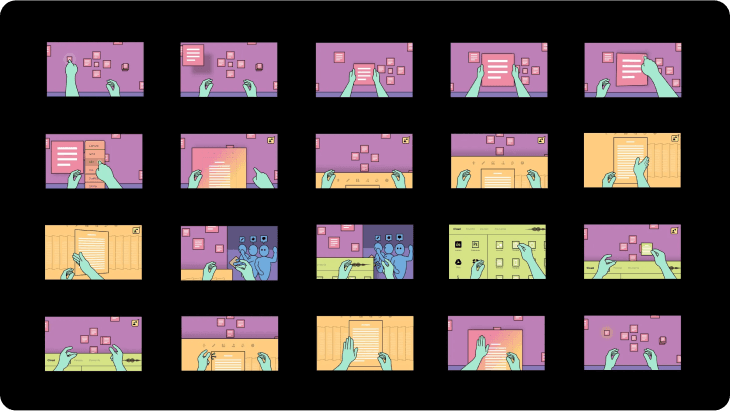
Storyboard grid of Whiteboard VR interactions: illustrated hands moving cards and documents on a virtual board

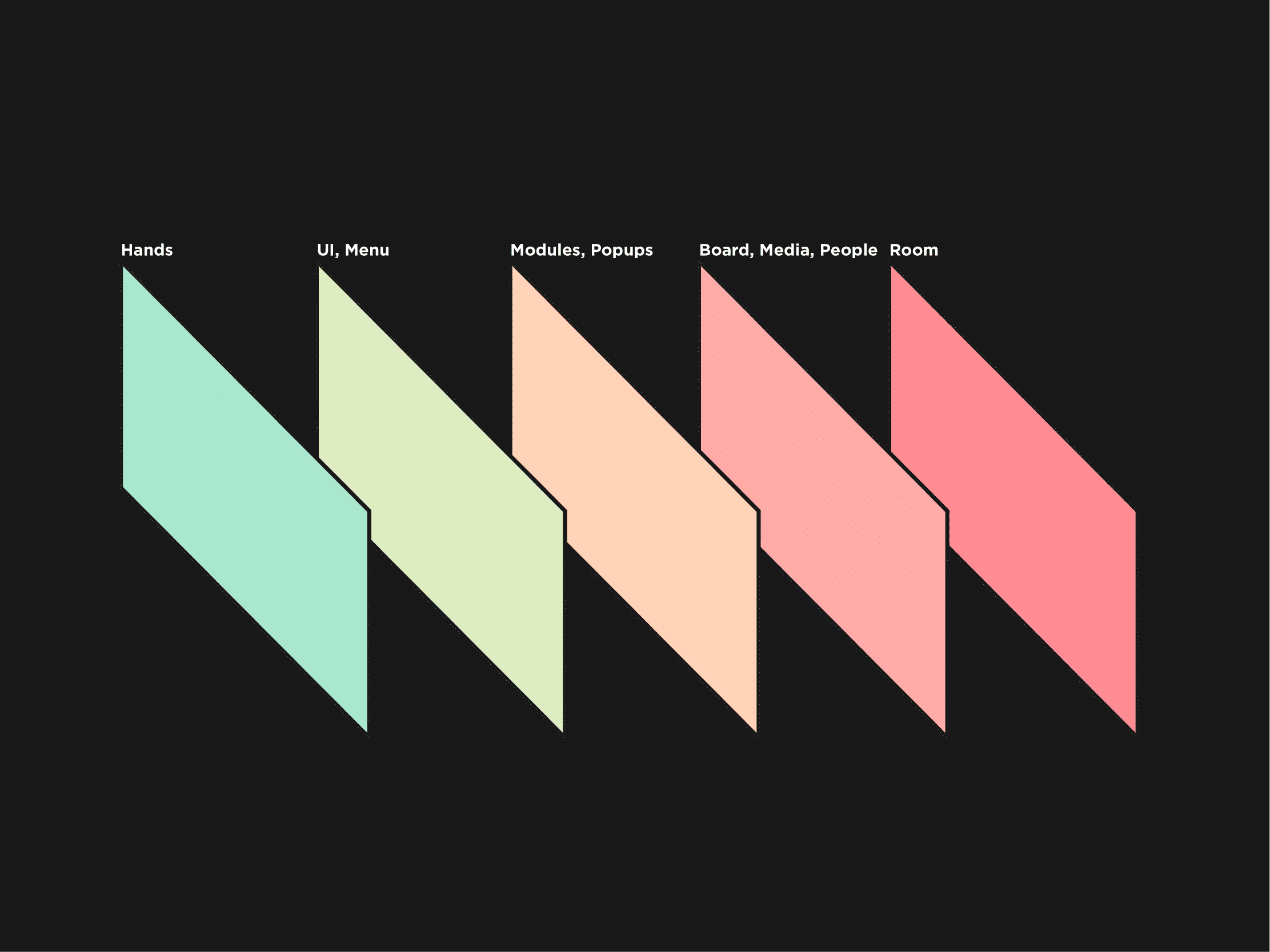
Designing interactions from scratch

We were figuring out how everyday actions should work in VR: opening menus, moving documents, and working together around a board. These storyboards helped us explore the interactions before building them.

Hands are the original controllers

We wanted people to interact with their hands rather than learn a new set of controls. We experimented with hand tracking, but used controllers where the hardware needed more precision.

Designing the room

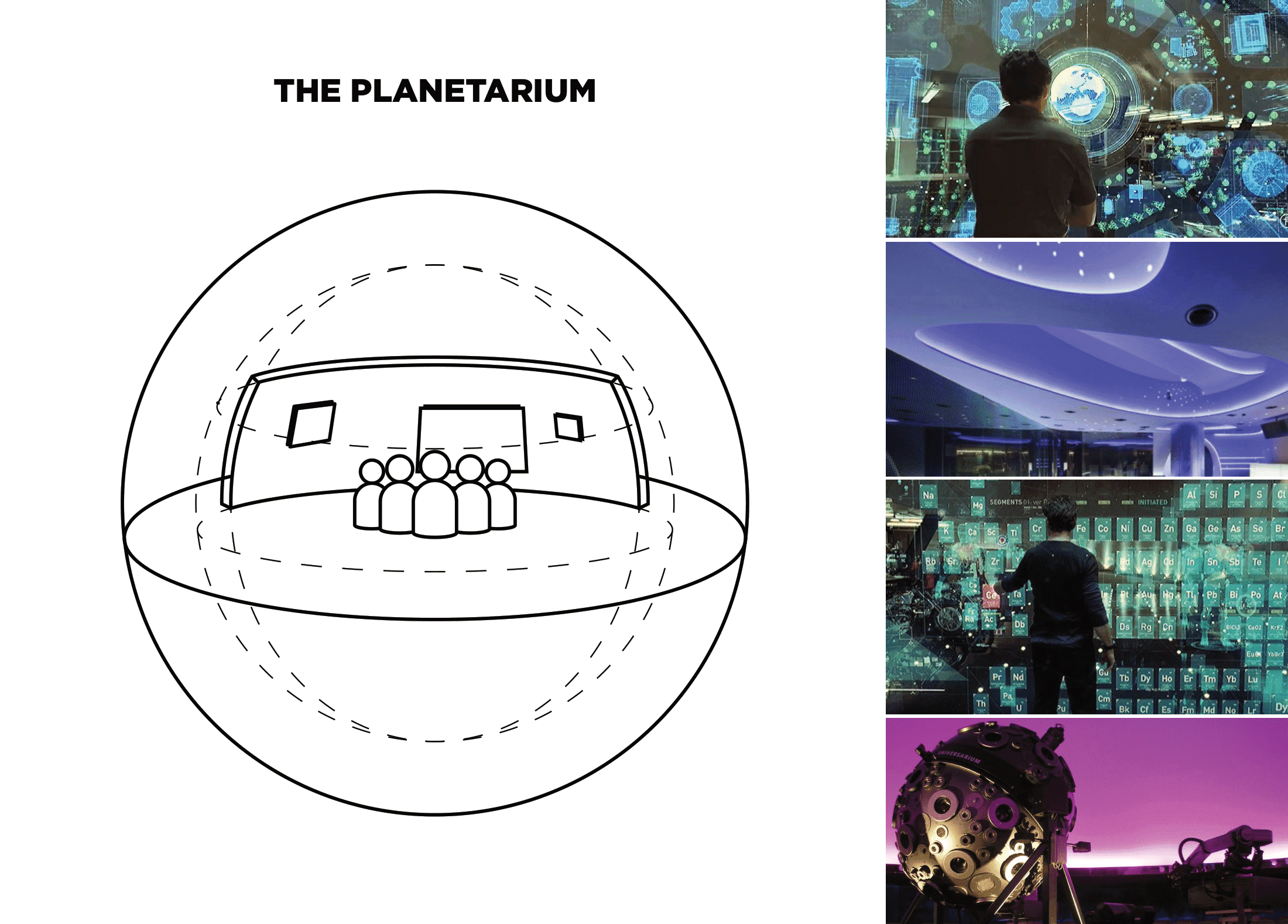
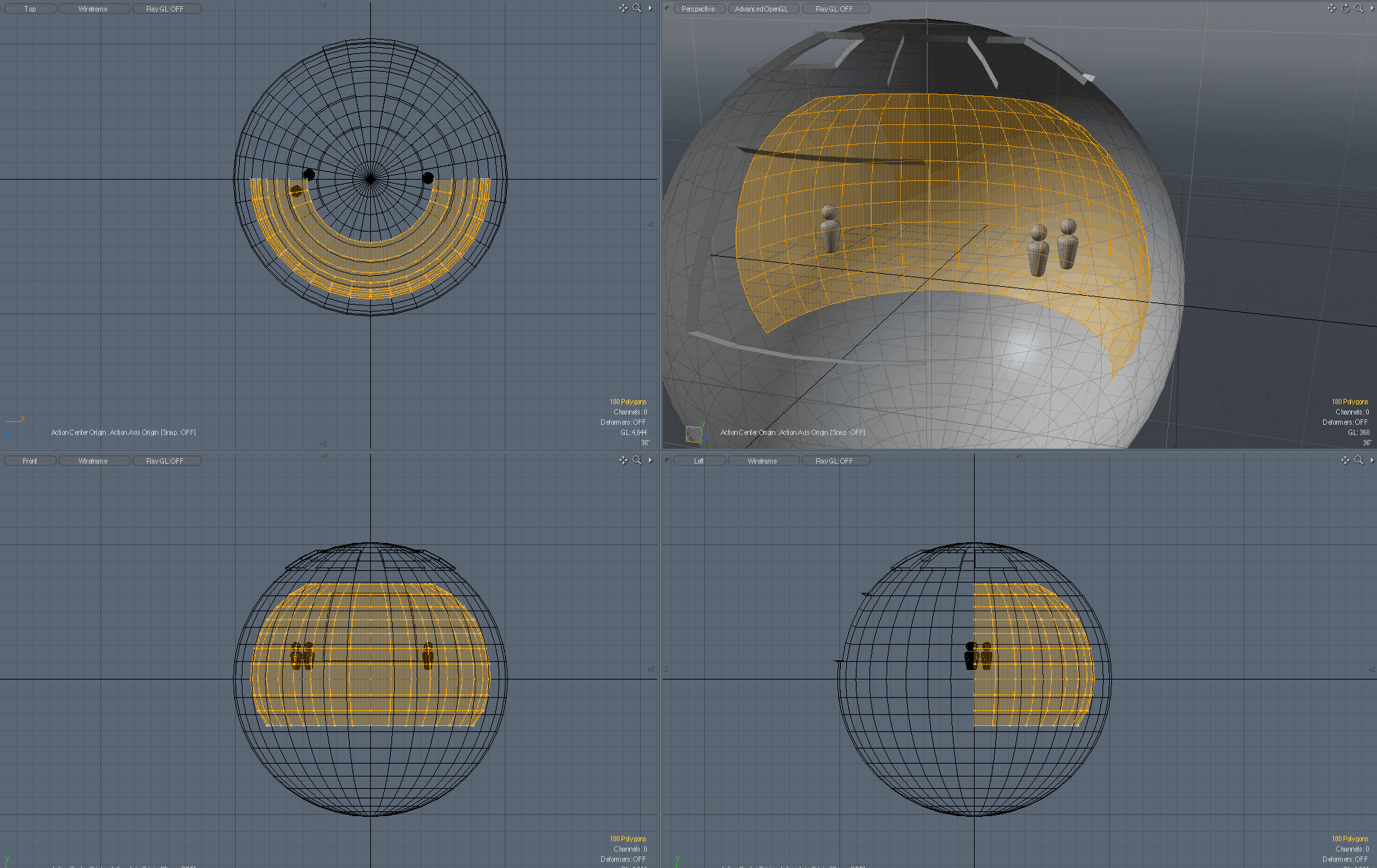
Designing Whiteboard meant designing a space as well as an interface. Inspired by planetariums, we explored curved rooms that gave everyone a clear view of the board without requiring much movement.

3D modeling views of Whiteboard’s spherical VR room with a curved board and two figures
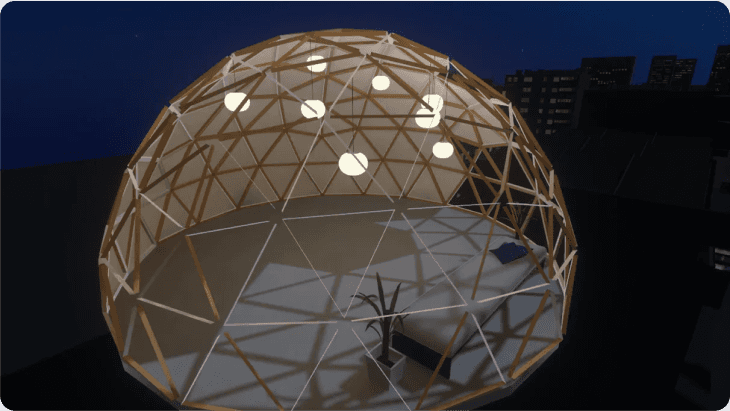
Render of a geodesic dome room at night, an early Whiteboard VR environment

The multiplayer beta

Two people working together in the same virtual room. The beta showed what was possible, but also exposed the limits of the hardware: performance, connectivity, and comfort.

Cameo app icon

Cameo

Co-Founder

Acquired by

Vimeo

Sep 2010 – Mar 2014

Mobile video creation platform and community. Inspired by the cinematic feel of strolling through New York City. Apple Editor’s Pick and Best Apps of 2013.

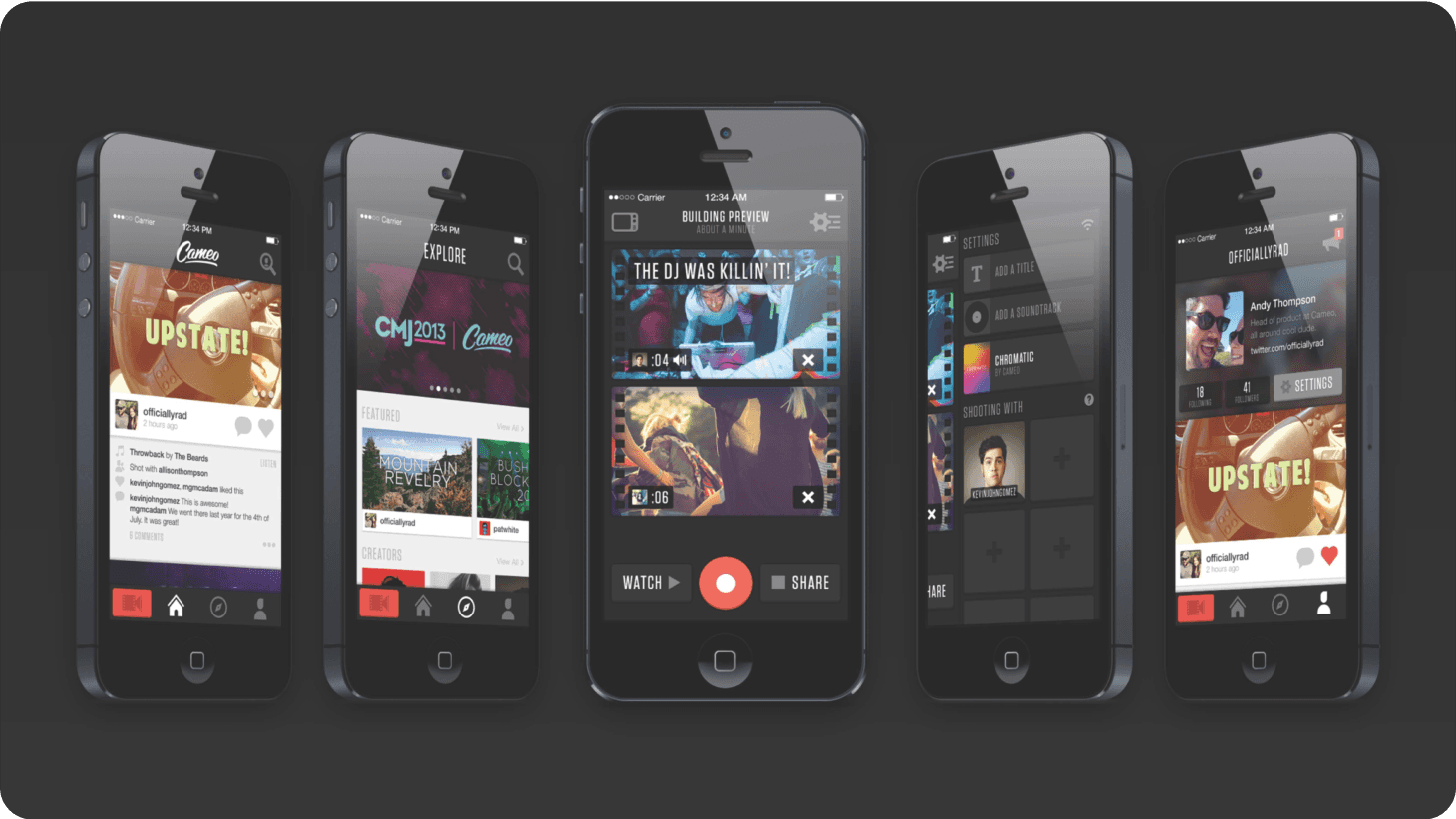
Five iPhones showing Cameo’s feed, explore, video editor and profile screens

A movie studio in your pocket

Cameo let people turn clips shot on their phones into short films, complete with themes and soundtracks. Rendering in the cloud made effects possible that phones couldn’t handle yet, and friends could contribute clips to the same film.

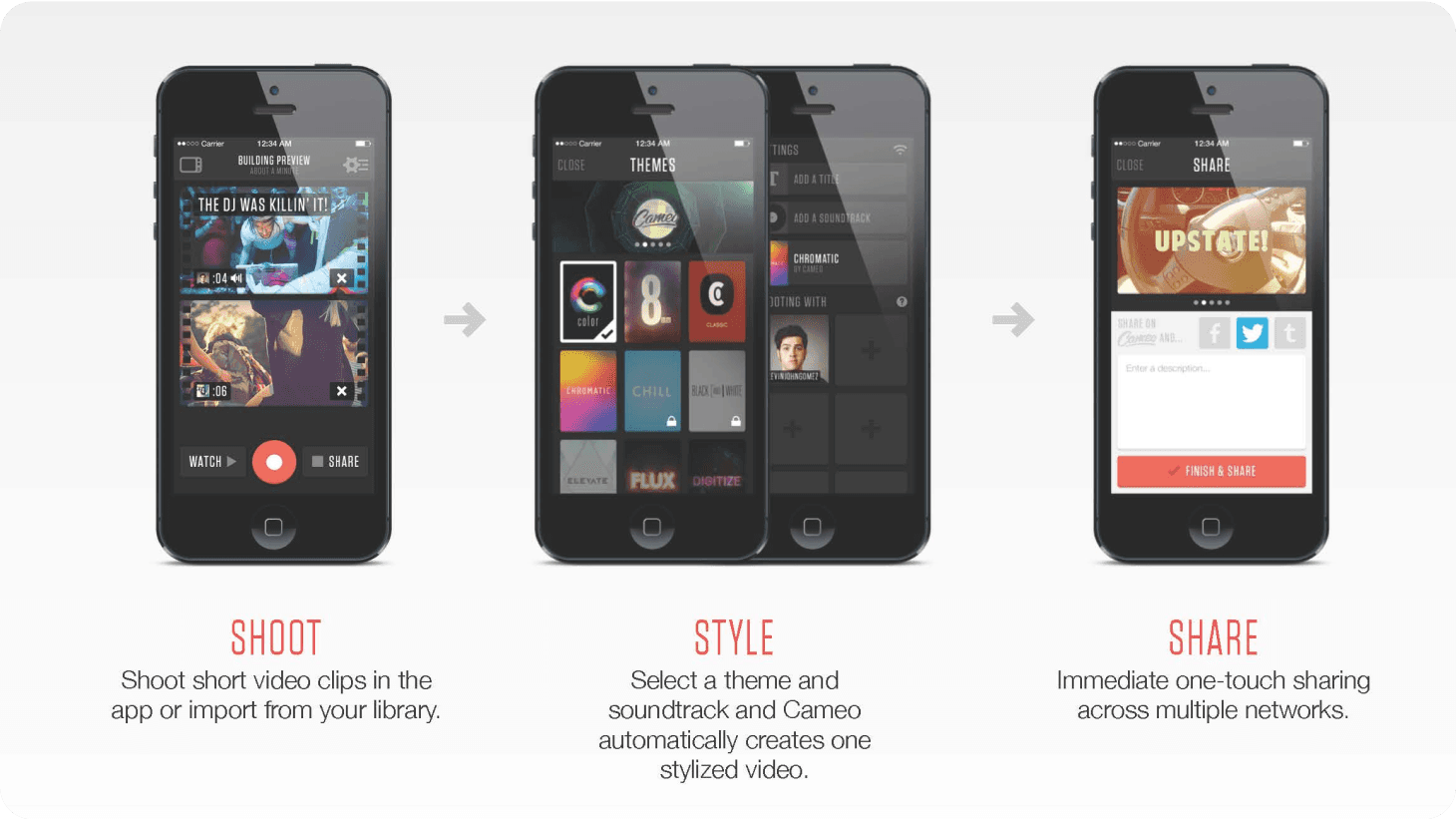
How Cameo works: shoot short clips, style them with a theme and soundtrack, and share in one tap

Welcome to Cameo

An introduction to Cameo: shooting clips, choosing a theme, and sharing the finished film.

An early Cameo demo

An early demo of Cameo, with a look behind the scenes at the team building it.

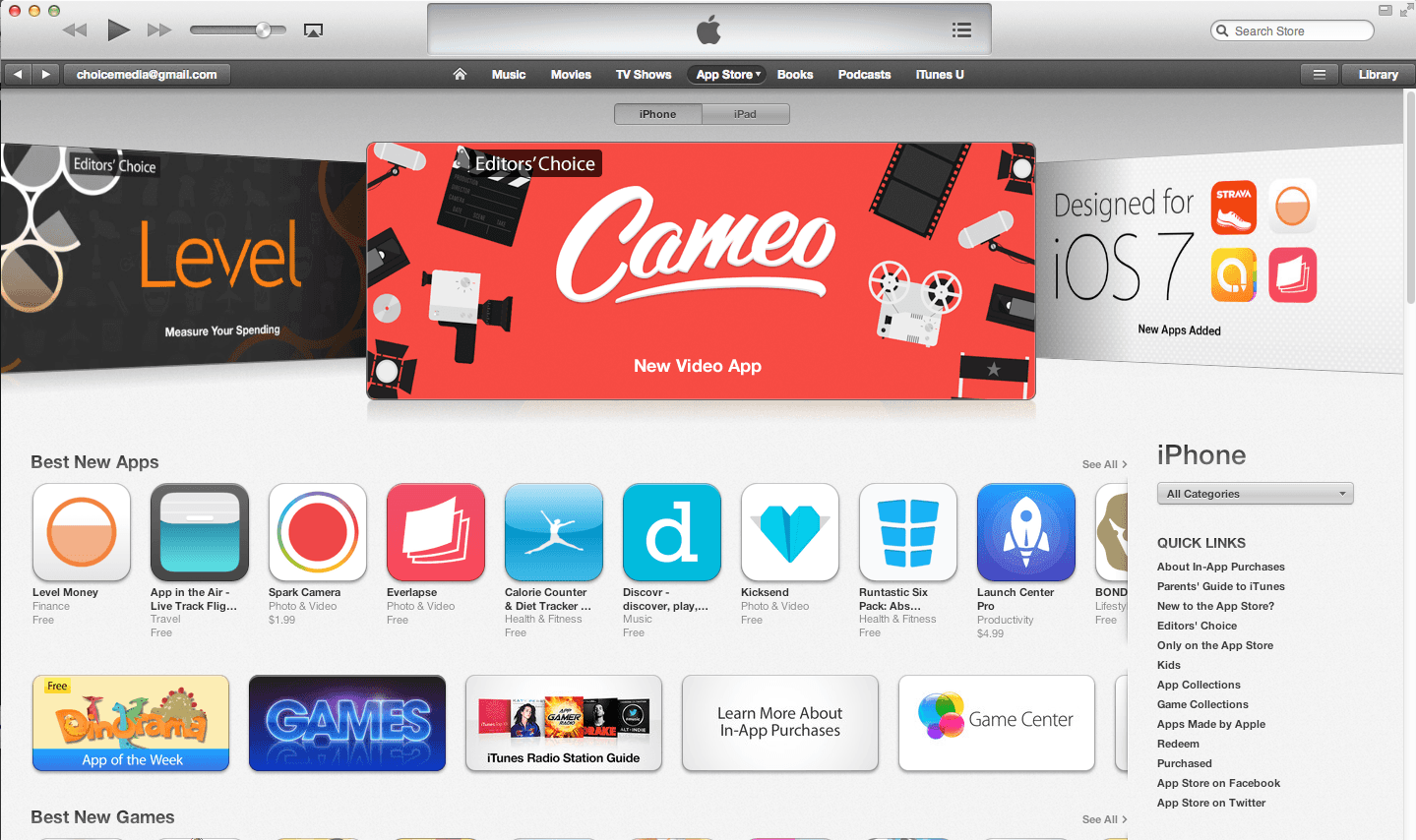
Cameo featured as Apple’s Editors’ Choice in the App Store

Editors’ Choice on the front page of the App Store

When we launched Cameo in October 2013, Apple featured it front and center on the App Store as its Editors’ Choice. More than half a million people downloaded it in the first week.

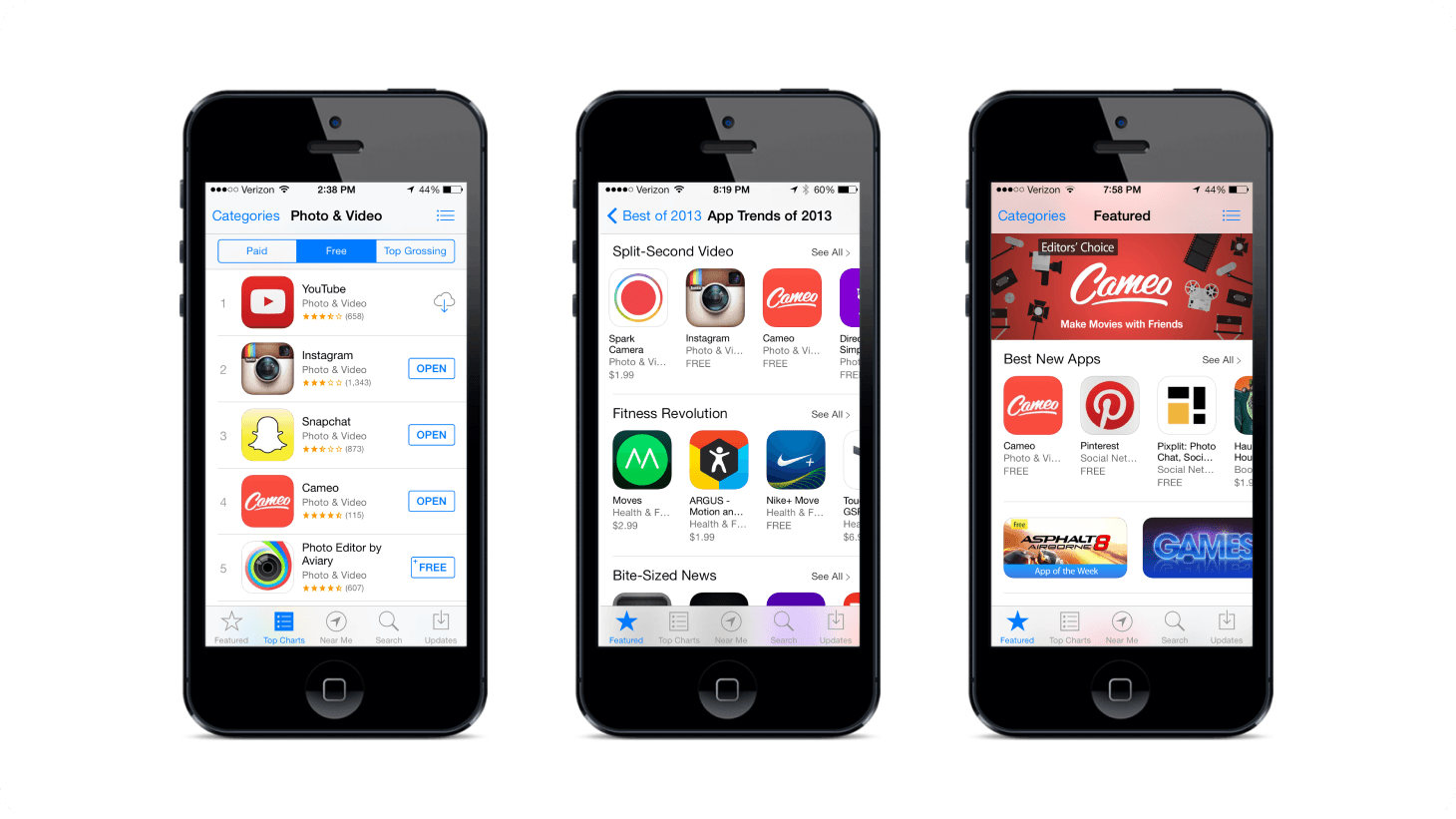
Cameo in the App Store: ranked in Photo & Video, featured in Apple’s Best of 2013, and promoted as Editors’ Choice

Best of 2013

Apple included Cameo in its Best of 2013 collection, alongside Spark Camera, Instagram, and other standout video apps.

My favorite Cameos

A few of my favorite films made with Cameo, including some I shot and examples of the themes we designed.

The year of video

Cameo designers Pat White and Mitchell Hart directed and produced this film from videos made by our community. It’s still one of my favorite expressions of what people could make with Cameo.

Cinematic themes

Our themes combined motion graphics, color treatments, and typography to give each film a distinct look. Cloud rendering let us build effects beyond what phones could process at the time.

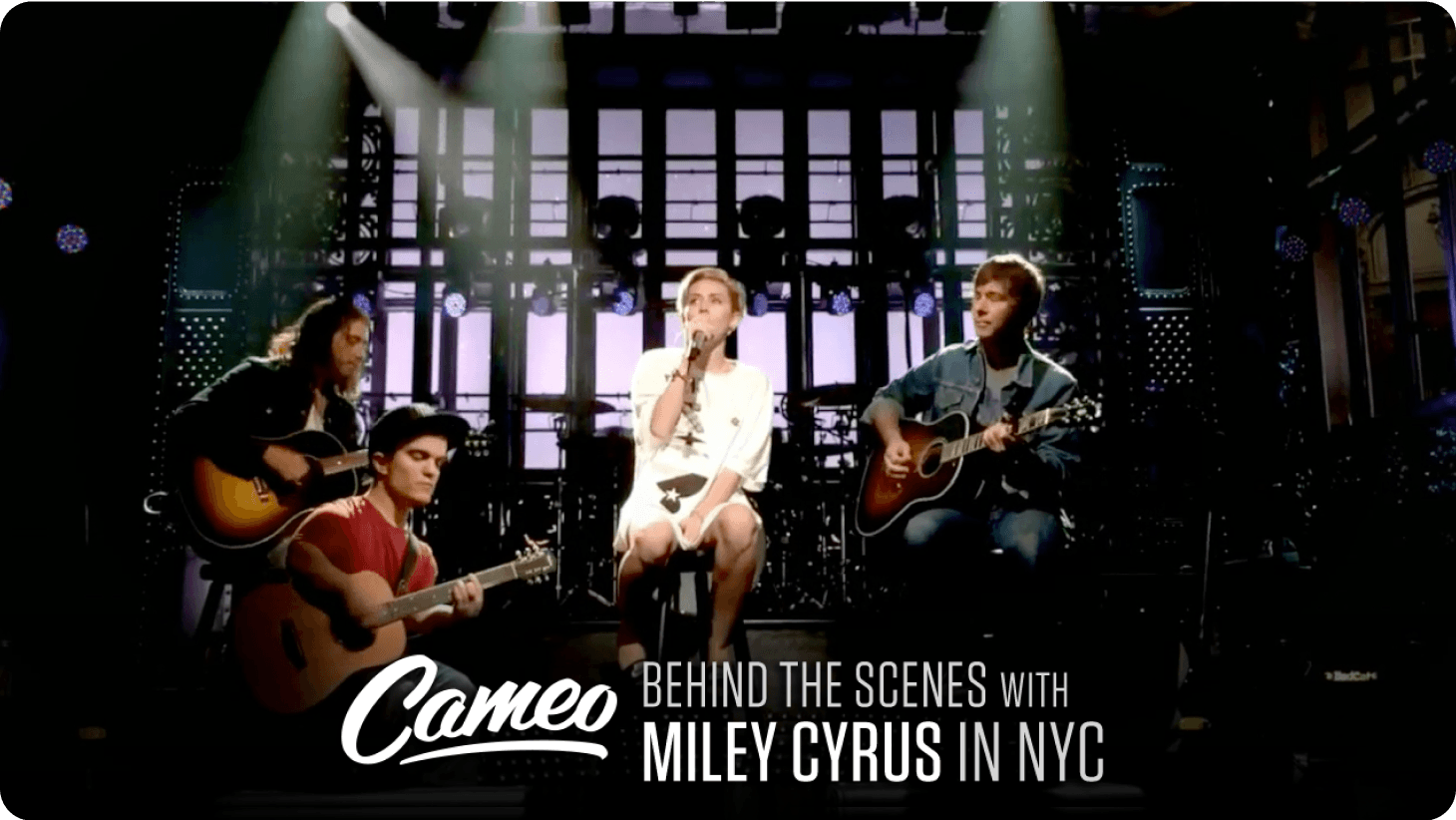
Miley Cyrus and her band performing at Saturday Night Live, from Cameo’s behind-the-scenes video

Behind the scenes with Miley

Miley Cyrus and her band used Cameo to share moments from the road and behind the scenes at Saturday Night Live.

Tony Hawk’s favorite new app

Tony Hawk named Cameo his favorite new app in an interview with Kevin Rose at Web Summit.

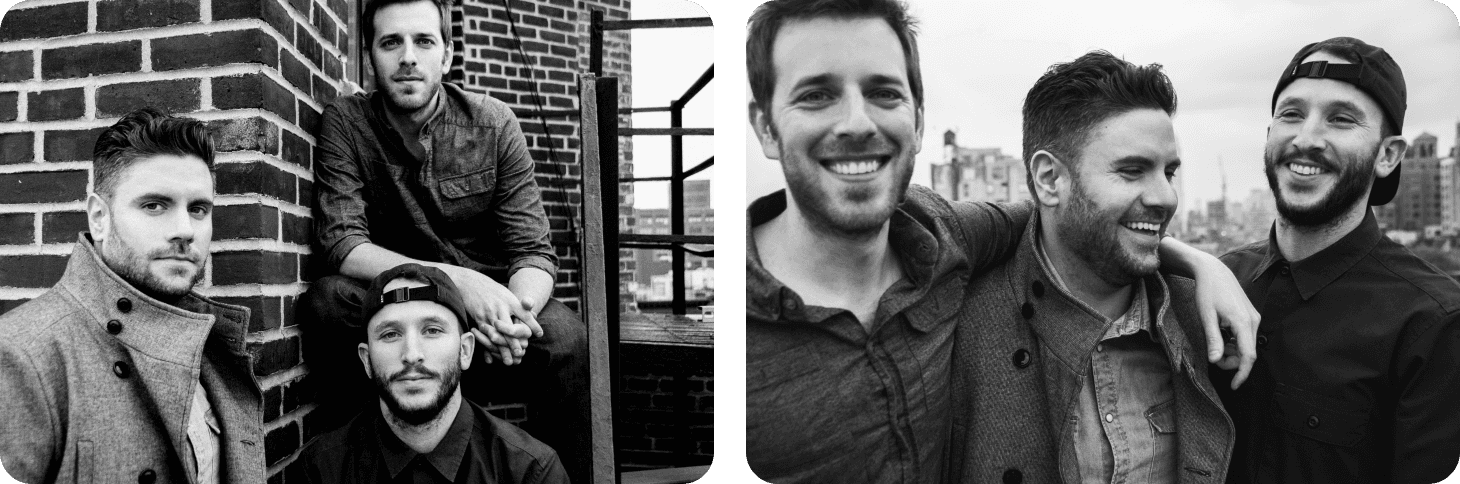
Black-and-white photos of Matthew Rosenberg and his Cameo co-founders

The Cameo founders

Celebrating more than half a million downloads in our first week.

Joining Vimeo

Vimeo acquired Cameo in 2014. Our team joined Vimeo, where I became VP of Cameo and led our work on mobile video creation.

The Vimeo beer cart

On Fridays, teams took turns pushing a beer cart around the Vimeo office. This was our introduction to the tradition—and a good way to meet our new coworkers.

Cameo by Vimeo

A walkthrough of Cameo 2.0, the version we built at Vimeo.

One Month at Vimeo

A highlight reel from Cameo’s first month as a Vimeo app, featuring films made and shared by our community after the acquisition.

Camp Vimeo

Vimeo took the whole company to camp each year. We recorded the last night with Cameo.

Cameo and Vimeo logos: Cameo was acquired by Vimeo on March 18, 2014
Fast Society app icon

Fast Society

Co-Founder

Jun 2009 – Aug 2010

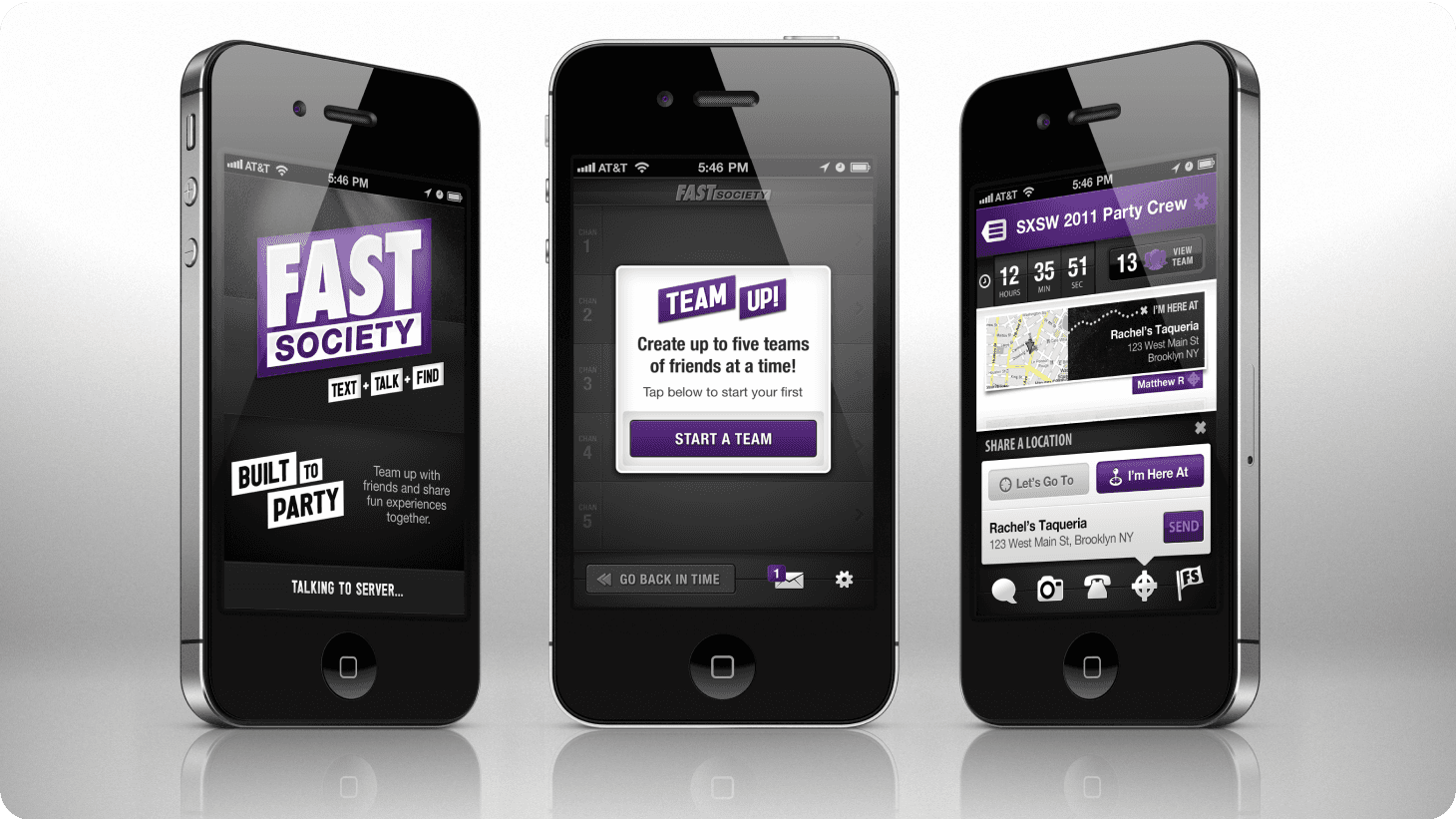
Fast Society let anyone create private, temporary teams with friends around fun events. In a team, participants can group text, create conference calls and share their locations.

Three iPhones showing Fast Society: the “Built to Party” launch screen, starting a team, and a SXSW 2011 party crew sharing locations

Text + talk + find

Fast Society brought group texting, one-touch conference calls, and location sharing together for nights out and events. It worked on almost any mobile phone, so friends could stay connected across different devices.

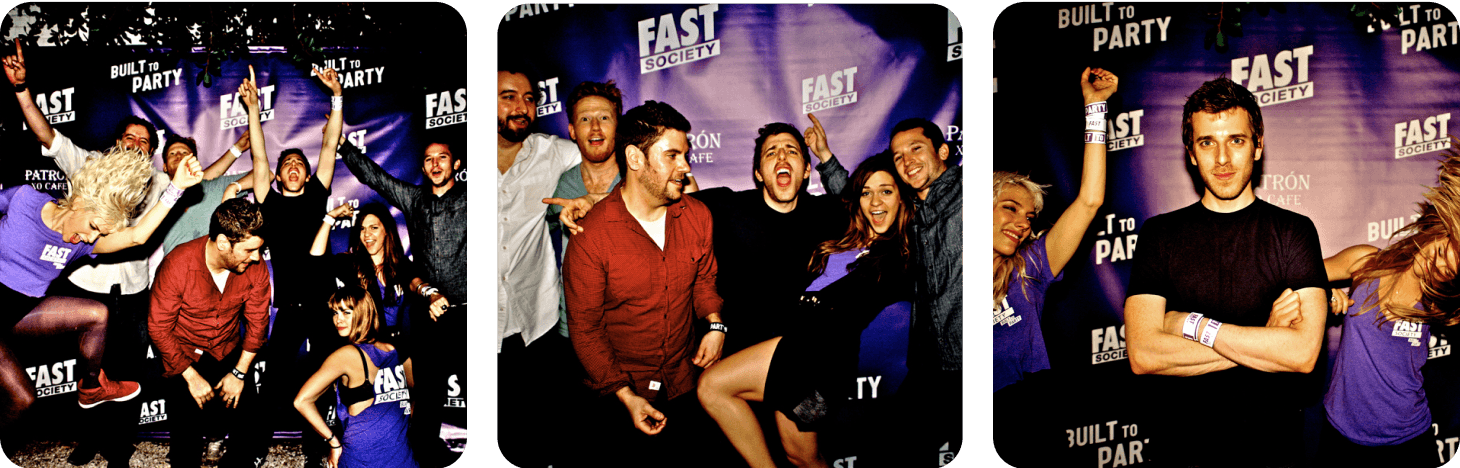
Built to party

We worked with a CollegeHumor team to show how Fast Society fit into a night out. Some of the people involved went on to work in late-night television and film.

The SXSW house party

Our SXSW house party started during the Fast Society years and carried on into Cameo. This footage is from 2012, when the party had become a tradition of its own.

Party photos from Fast Society’s “Built to Party” events in front of a branded backdrop
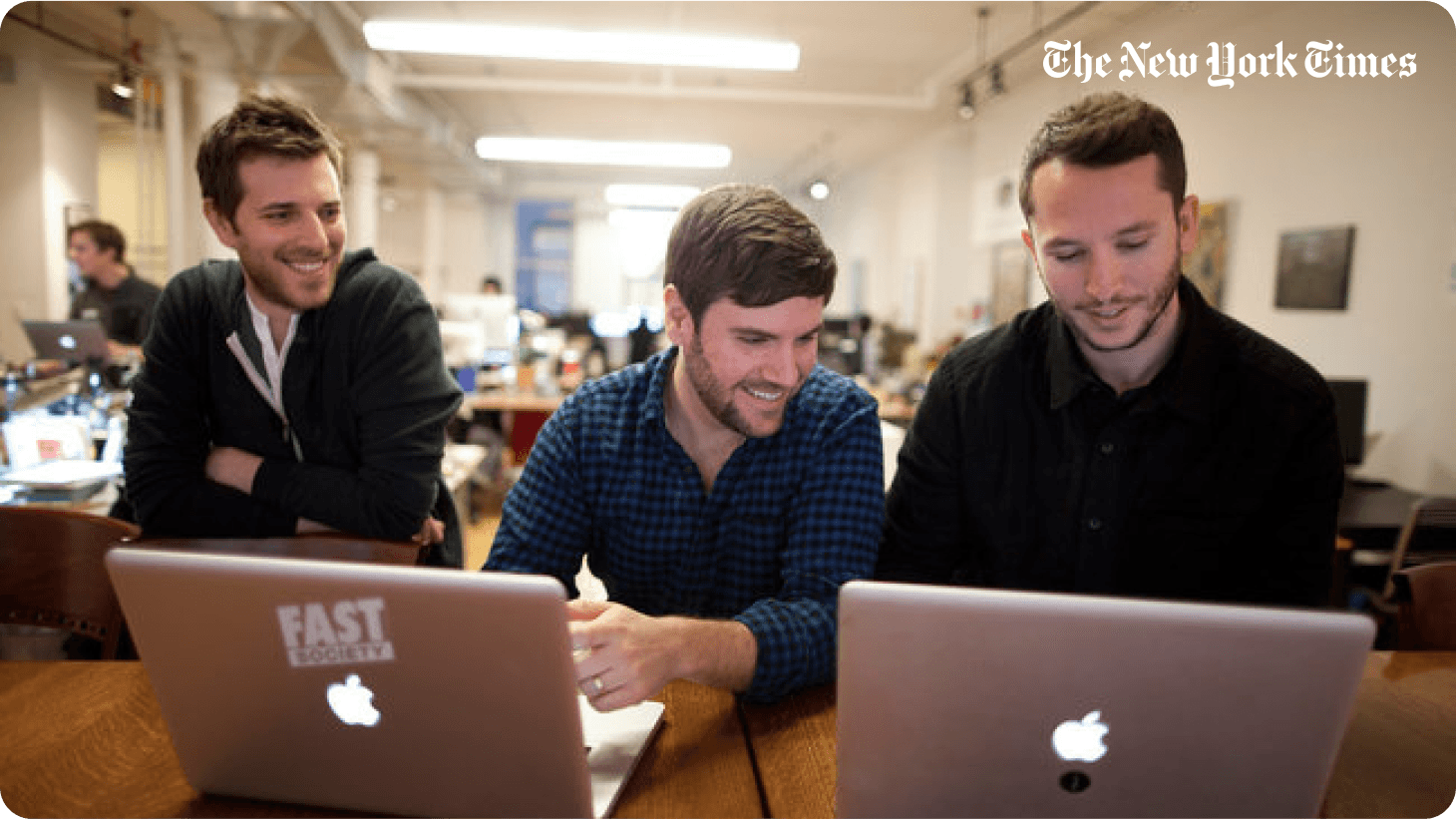
Matthew Rosenberg and his Fast Society co-founders working on laptops, photographed for The New York Times

Fast Society in The New York Times

Michael, Andy, and I were featured in The New York Times for our work on Fast Society. The paper also covered the emerging group-texting category.

Edopter app icon

Edopter

Co-Founder

May 2007 – Nov 2009

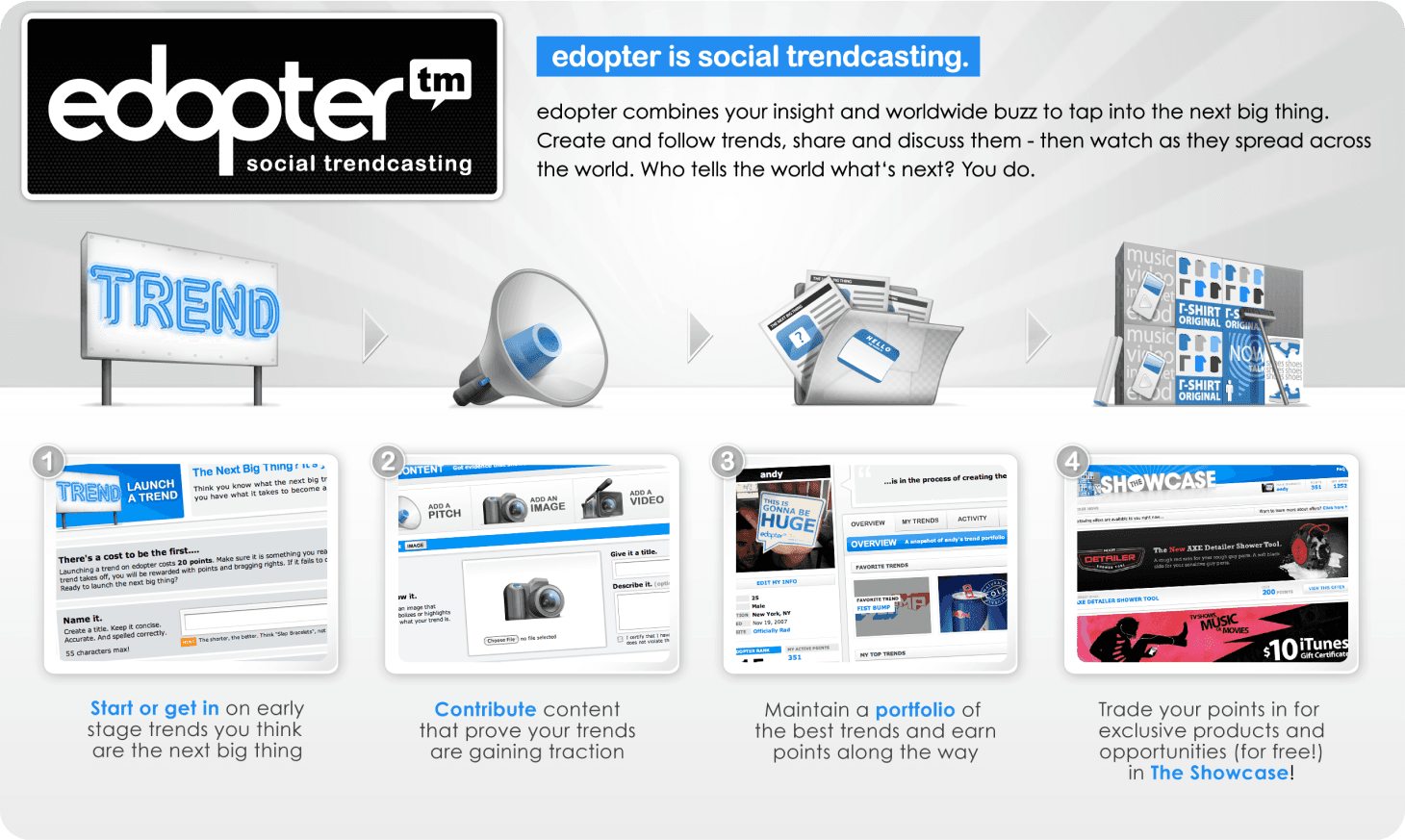
Edopter harnessed user insights and global buzz to discover emerging trends, a technology it named Social Trendcasting. Users engaged by creating, following, and sharing trends, observing as they went viral worldwide.

Spotting trends early

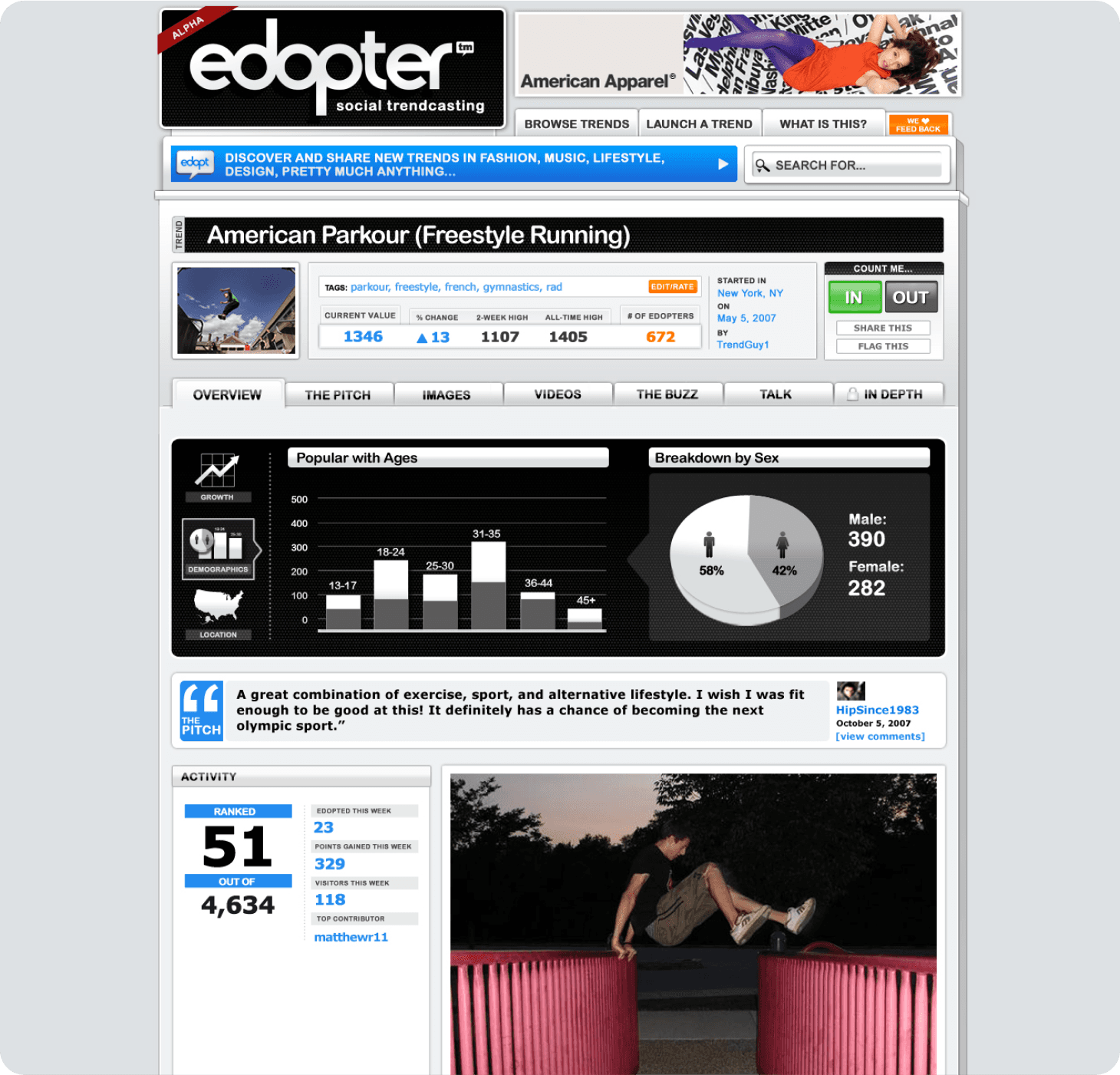
Edopter was a place to discover and follow emerging trends. People contributed images, videos, and links, and watched how interest grew over time.

Edopter homepage explaining social trendcasting: start a trend, contribute content, build a portfolio, and trade points in the Showcase
Edopter trend page for American Parkour, with popularity charts by age and sex

Call it early. Earn the points.

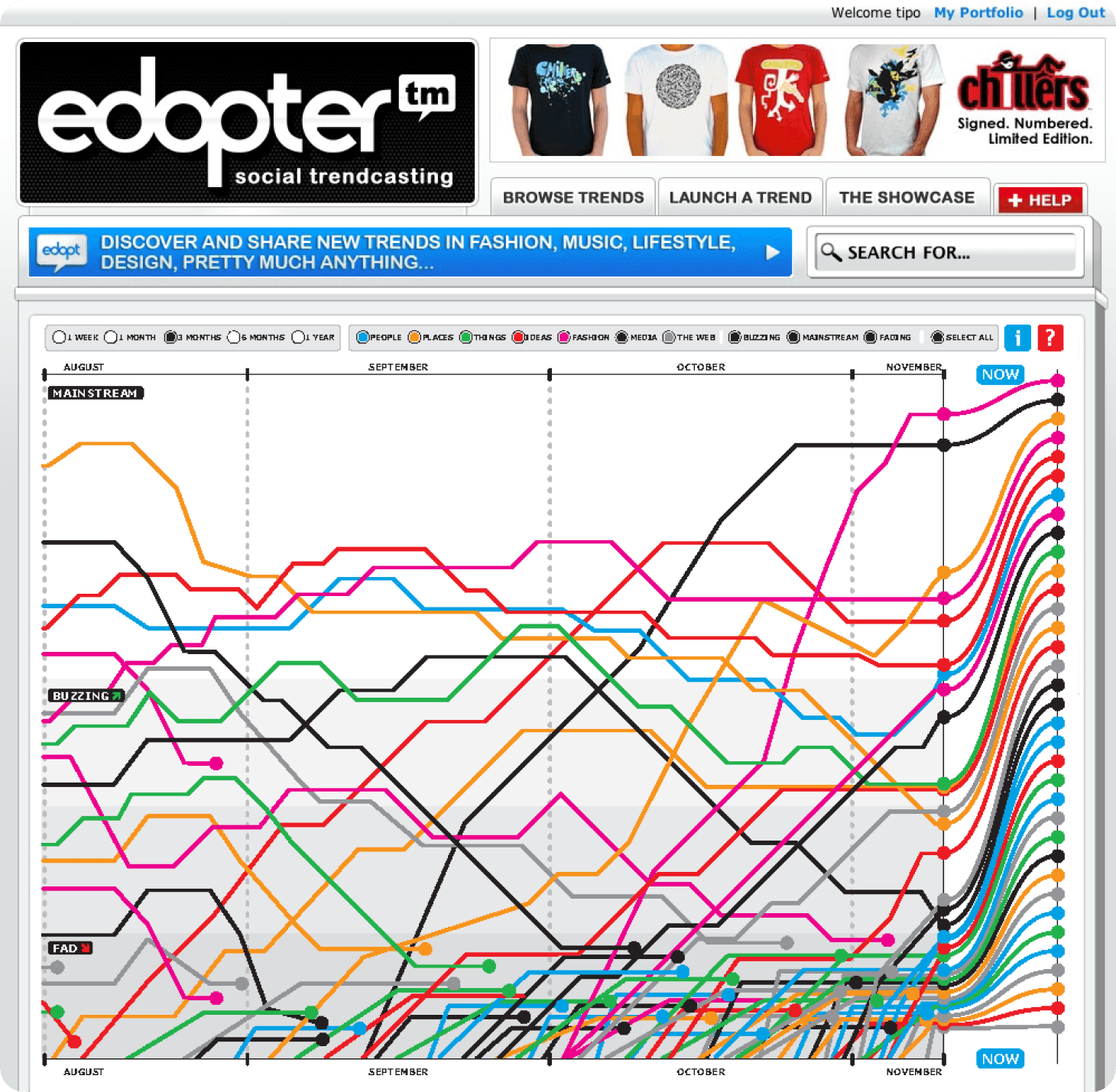
Members earned points for spotting trends before they caught on. We tracked how interest developed across audiences to see which ideas were moving toward the mainstream.

Edopter chart of dozens of trends rising from emerging to mainstream over several months
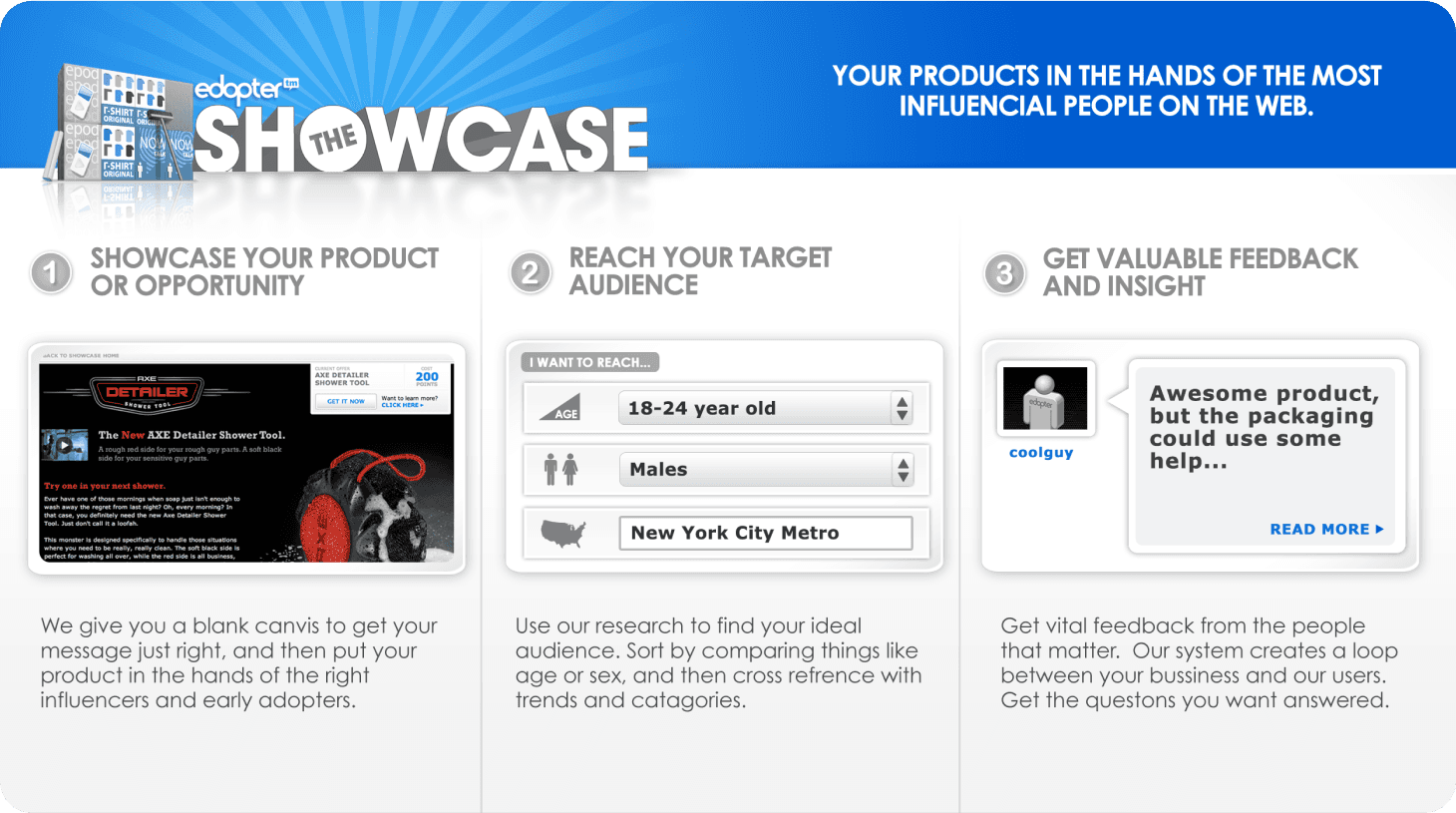
Edopter’s Showcase: brands put products in front of influential users, target an audience and collect feedback

The Showcase

The Showcase connected brands with members who had a track record of spotting trends early. Brands could introduce products to those audiences and collect feedback—an early version of what would become influencer marketing.

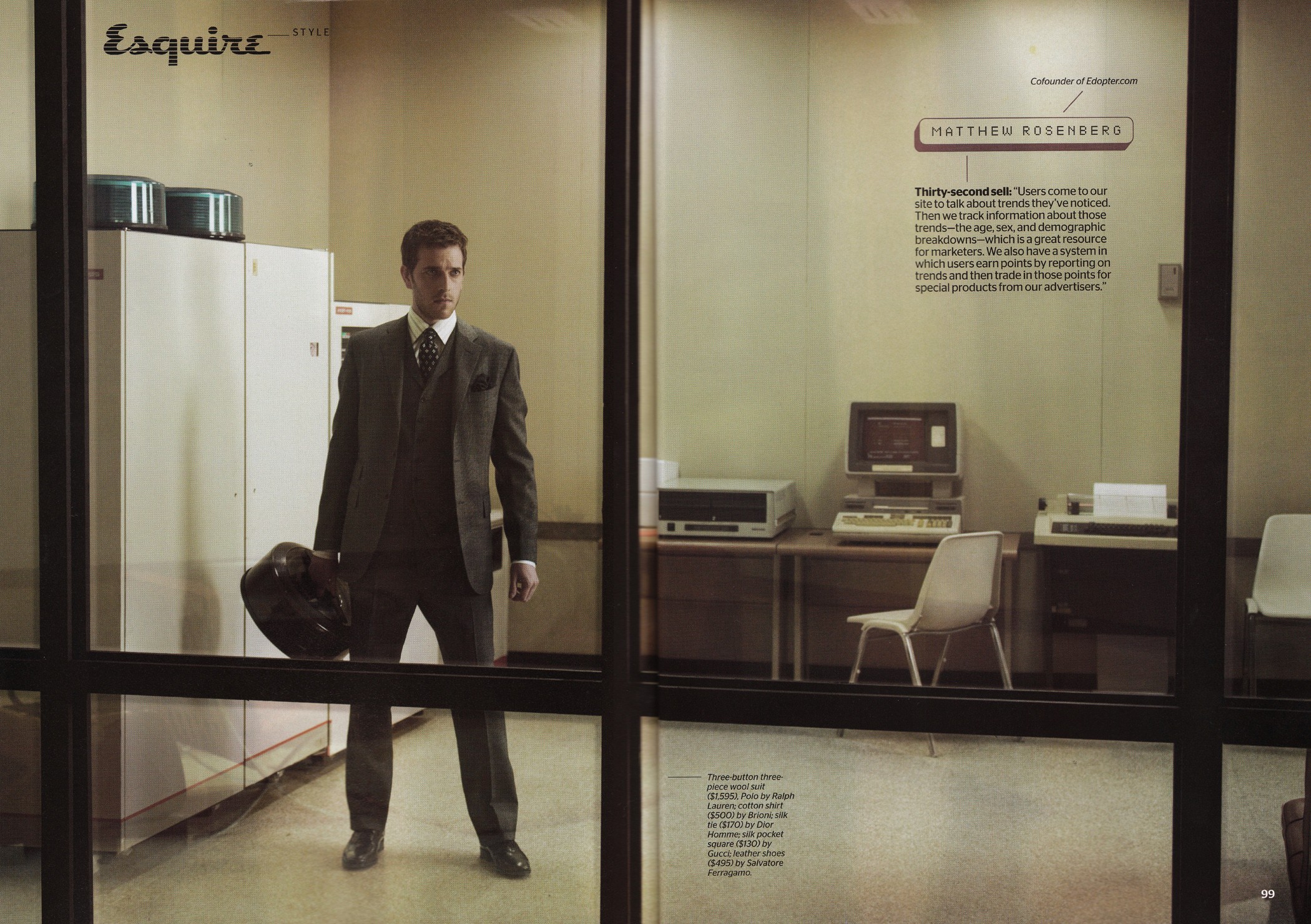
Matthew Rosenberg in a suit, photographed for Esquire’s “The Suit” feature

The suit, version 3.0

An appearance in Esquire’s feature on startup founders and what they wore to work.

From Esquire Magazine: “Computers may have changed some in the last fifty years, but a killer suit is still the best way to command respect in the workplace. Here, the next generation of Web Heavies mix sharp tailoring with unexpected twists, and even try to sell us on their startups.”

Pushing pixels

Co-founders at work in our apartment. Twenty-five years old and no idea what we were doing. The beginning of a long journey.